


 Email
Email
Your Complete Email Engine. One Workspace.
Run email on its own or use it inside a multichannel flow. Connect your mailboxes, build the sequence, verify the list, work every reply in Unibox and keep the activity on the same lead record.
The LinkedIn outreach platform trusted by 300+ Companies and across 60+ Industries








One system
Same workspace. Same inbox. Same lead record.
Email is a complete sending channel inside GML. Use it as part of a LinkedIn flow or launch an email-only campaign with no LinkedIn account involved.
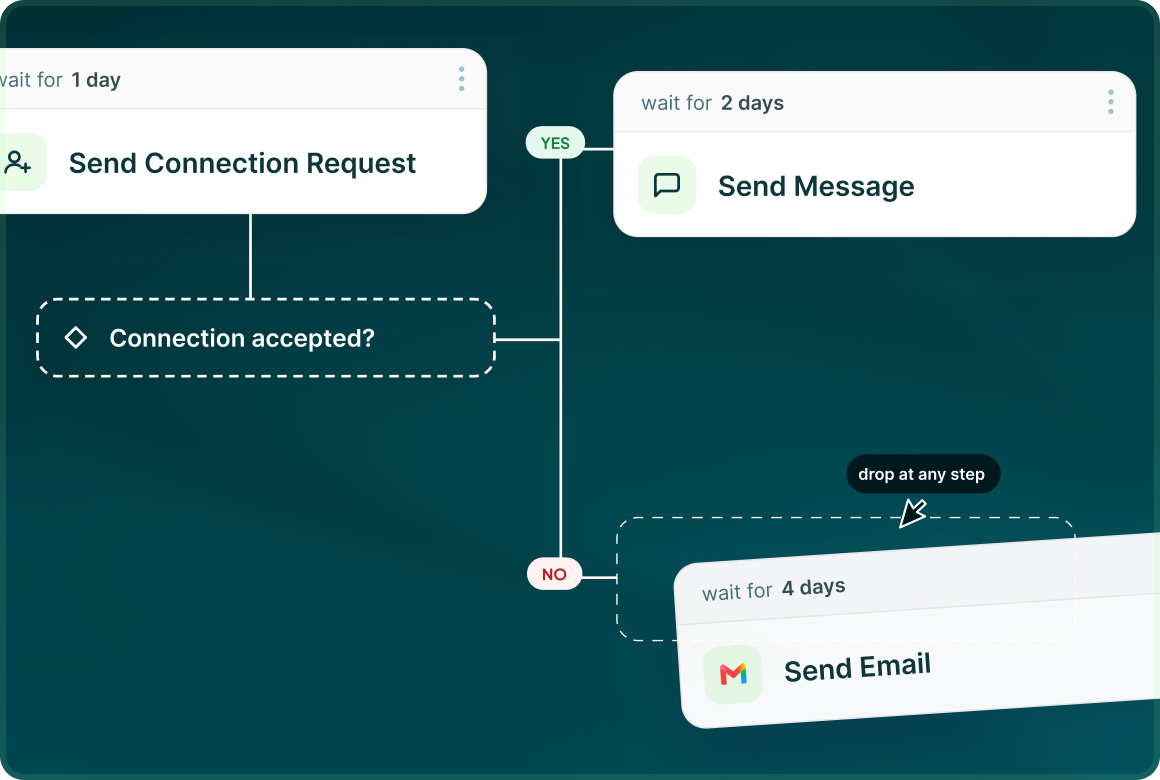
Same canvas
Add a Send Email step inside a multichannel flow, with conditions and delays deciding when the hand-off happens.
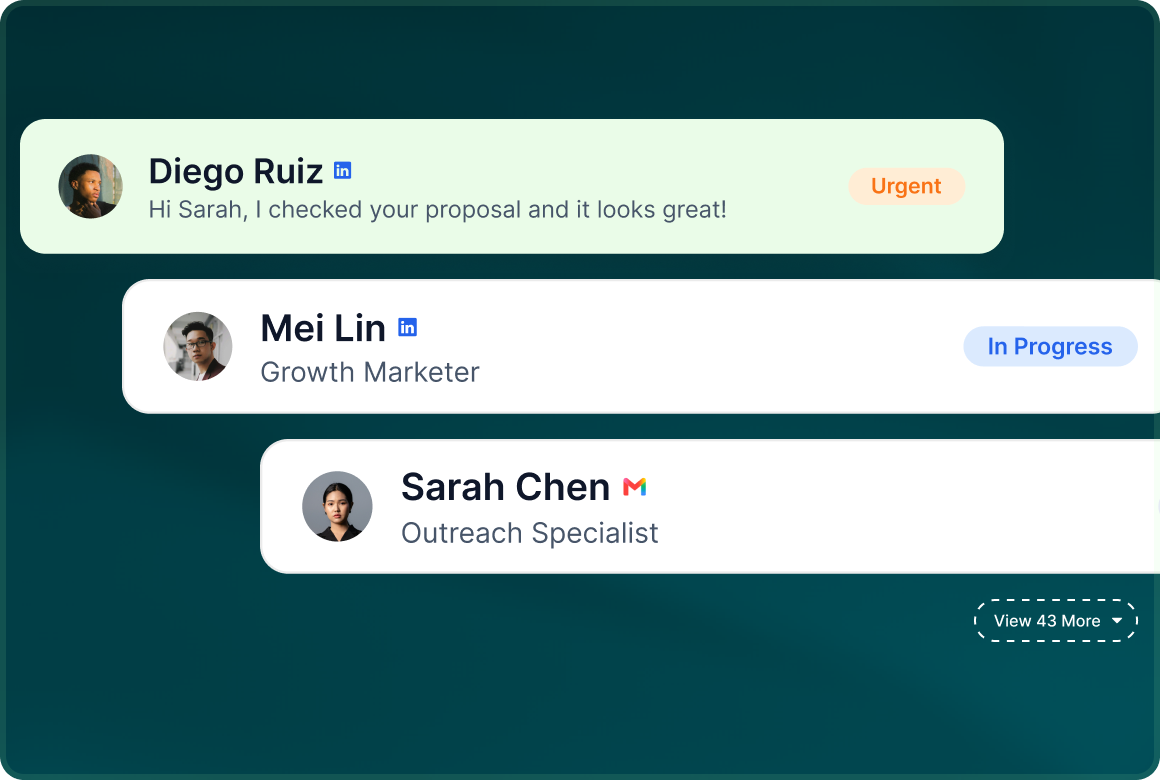
Same inbox
Email replies arrive in Unibox alongside LinkedIn, InMail and the other supported messaging channels.
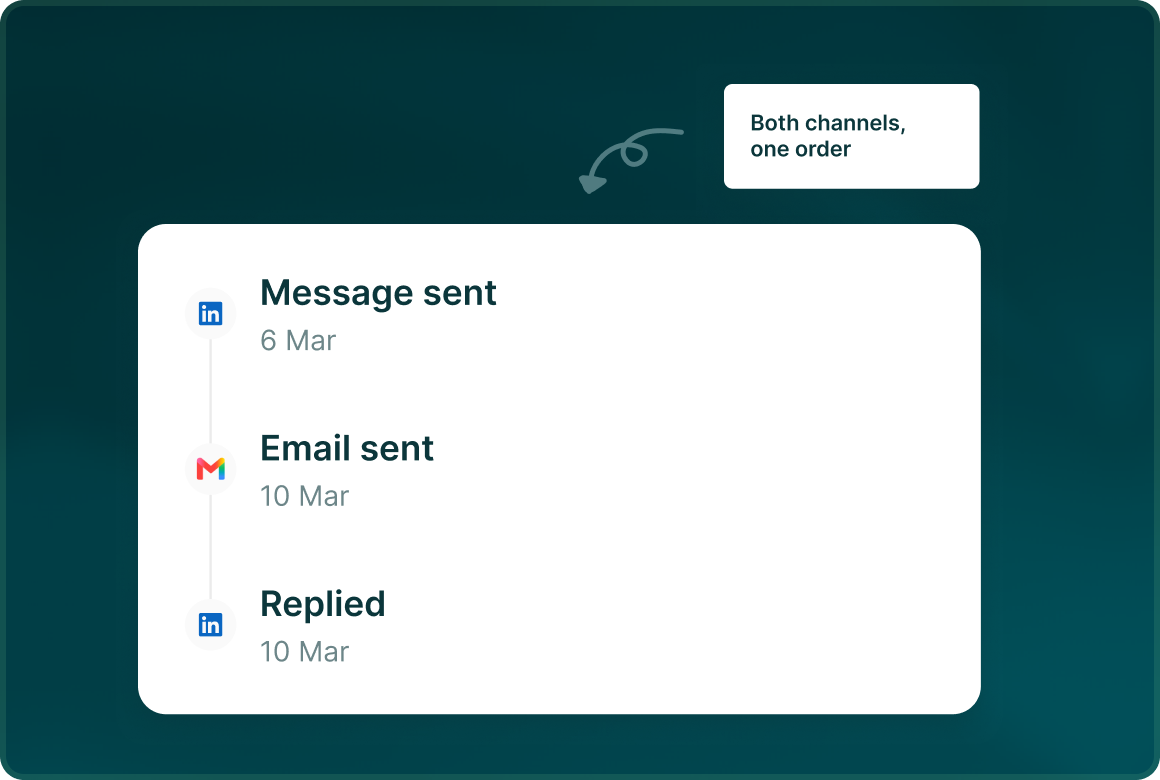
Same record
The lead record keeps the campaign activity and exact messages that were sent, so the email step stays part of the same outreach history.
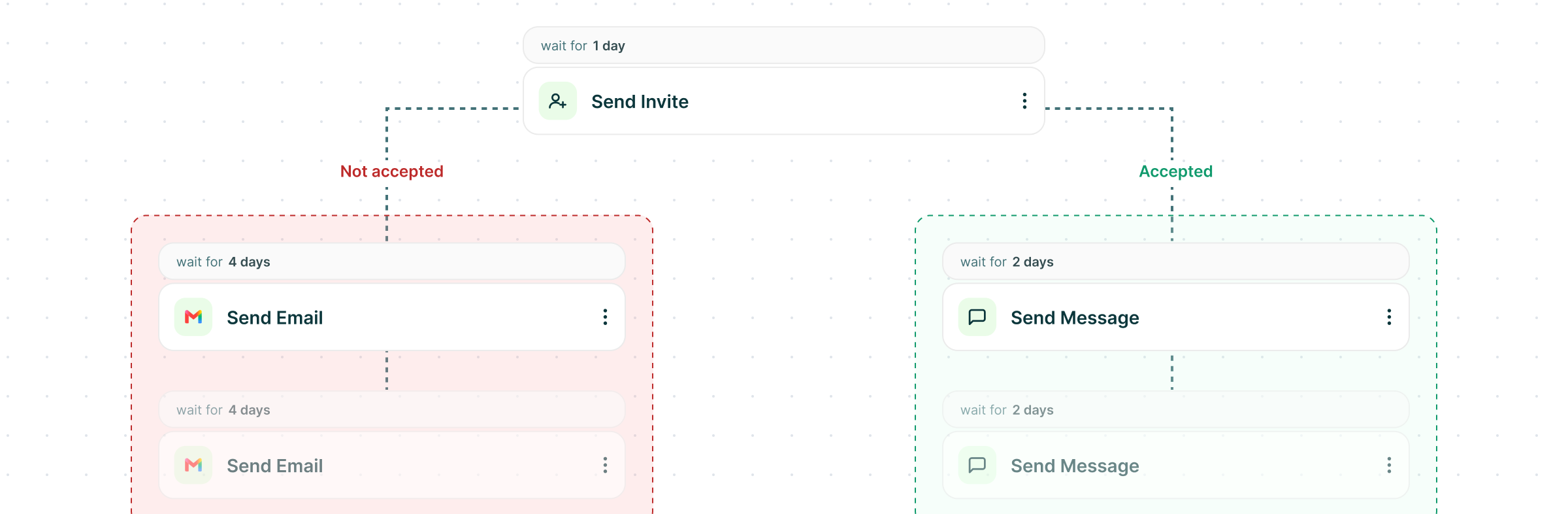
The pattern
Use email on its own or hand off to it from LinkedIn
Email is not limited to being a follow-up channel. Launch a complete email-only campaign, or use the ready LinkedIn-then-email pattern when the flow calls for another channel.
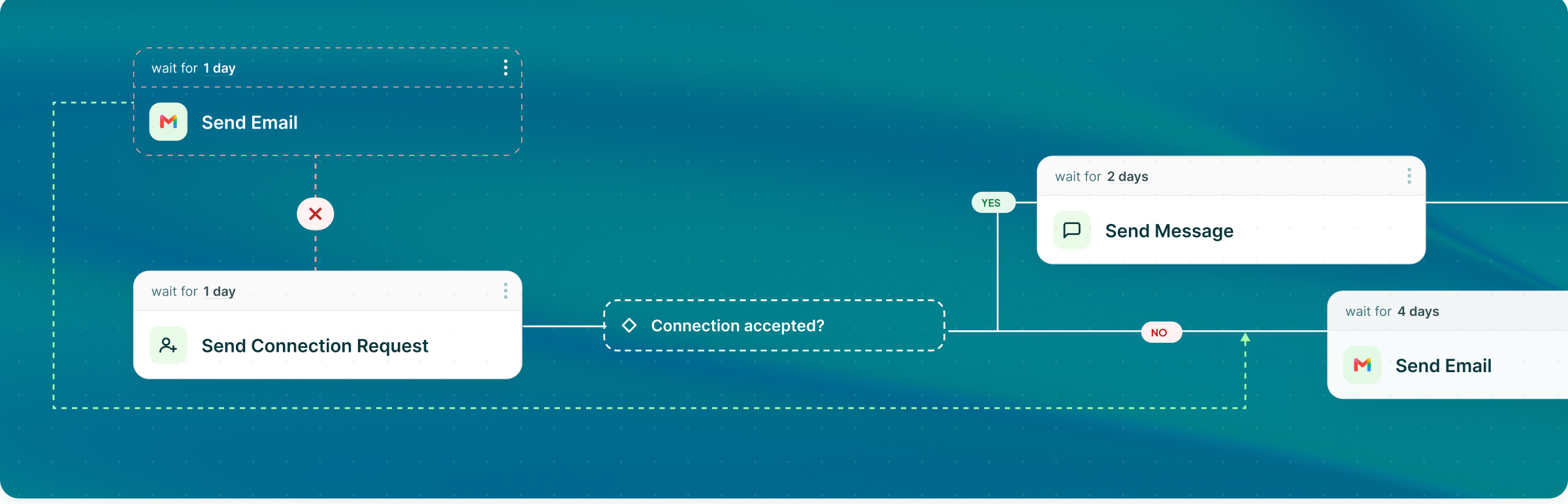
Start on LinkedIn and add email later in the same flow.
Create and launch an email campaign with no LinkedIn account at all.
A real reply stops further outreach to that lead rather than letting the sequence keep running.
Setup
Connect the mailboxes you already send from
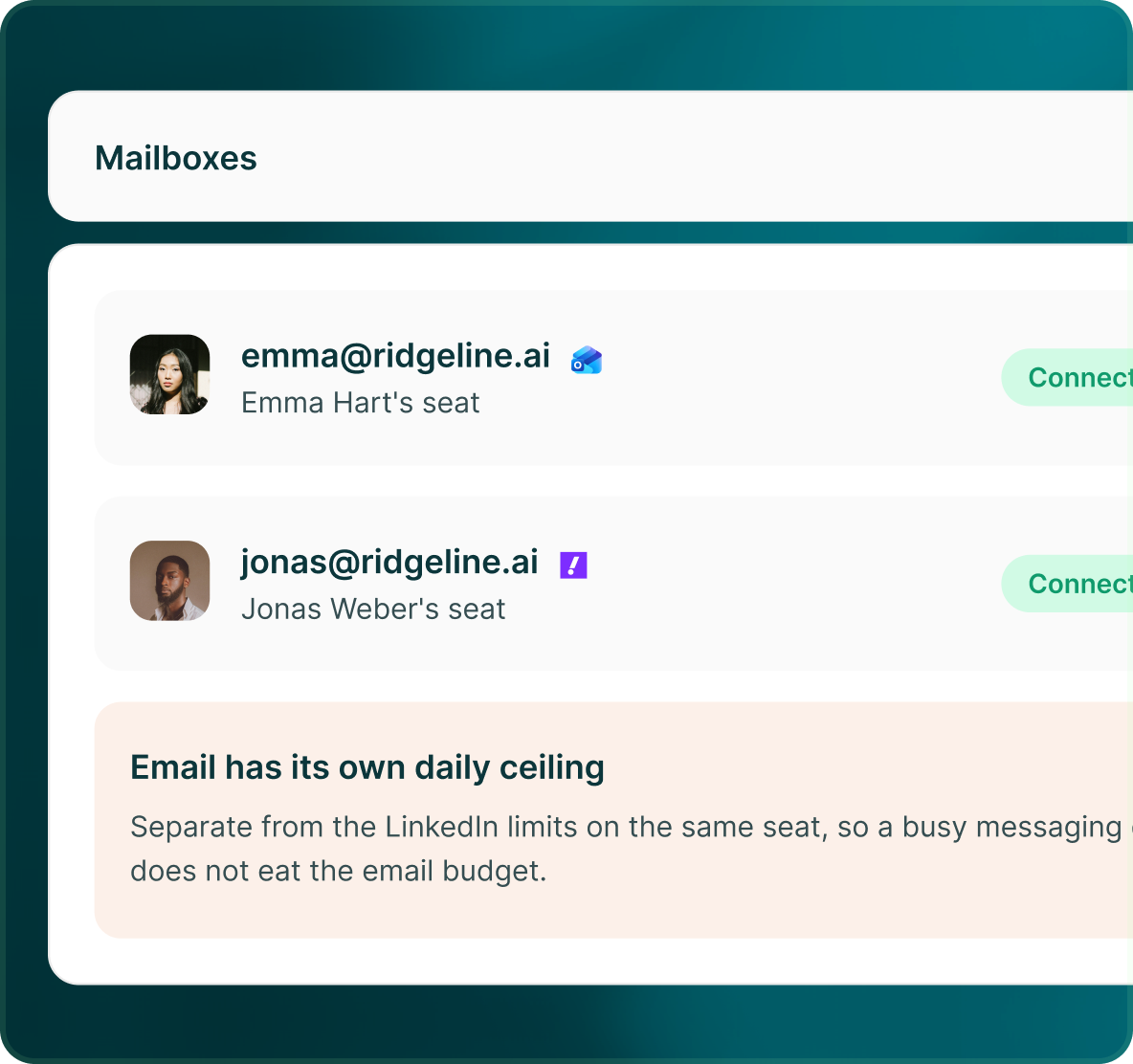
Connect Gmail or Microsoft with OAuth, or connect another mailbox through SMTP and IMAP. Each connected mailbox is an email seat with its own health, limits and sending schedule.
- Each connected mailbox has its own sender identity, health state and settings.
- Select multiple Ready mailboxes. GML assigns each lead to the least-loaded mailbox and keeps that mailbox for the whole thread.
- Inbound email is captured, matched to the conversation and worked alongside your other channels.
The record
LinkedIn and email, in the same lead history
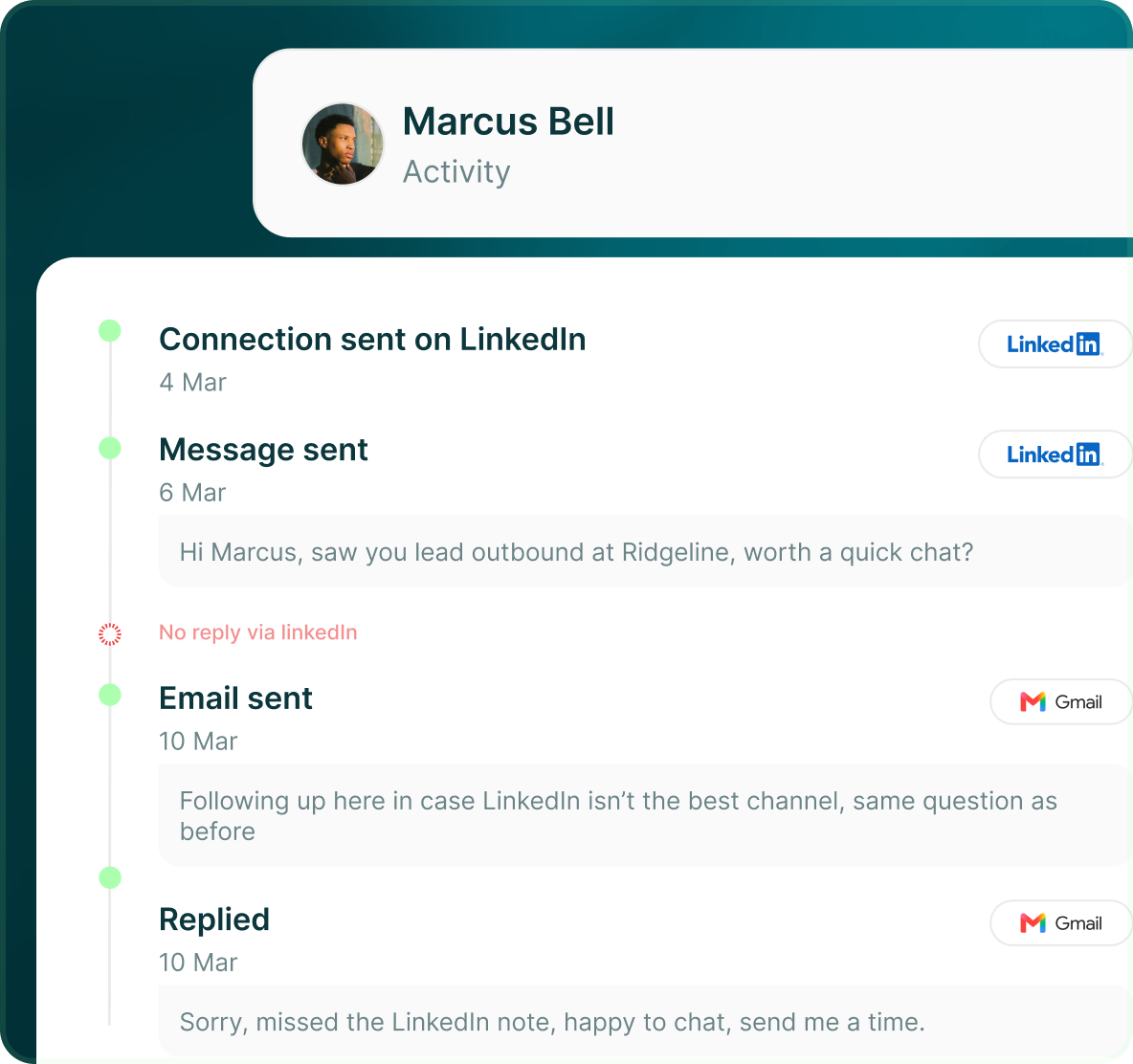
When a campaign moves between channels, the lead record keeps the activity together. See what happened, when it happened and the exact messages that were sent.
- Keep LinkedIn and email campaign activity attached to the same lead.
- Campaign Status records the exact message that was sent, not only the name of the step.
- A real reply stops further outreach to that lead across channels.
Case studies
Teams who can show their work
“Using Get Me Leads has been one of our smartest investments. Our team actively engages with the platform, and we’ve seen a notable boost in our sales.”




“We’ve fully transitioned our operations to Get Me Leads. The product is user-friendly and adaptable, greatly helping us increase our lead generation.”


Build the list. Check who is in it. Then launch.
Questions
Adding email to your outreach
No. GML has a complete cold-email engine inside the same product. You can run email-only campaigns or use Send Email inside a multichannel flow.
An email campaign can use several Ready mailboxes. Each lead is assigned to the least-loaded one and keeps that mailbox for the whole thread.
Yes. Email-only campaigns are created and launched without a LinkedIn account.
Each mailbox has a daily limit, minimum gap between sends, sending window, working days and warm-up. GML also checks SPF, DKIM and DMARC and monitors mailbox health.
Replies are captured and matched back to the conversation, then appear in Unibox. A real reply stops the lead from continuing through the sequence.
Yes. Email has an AI Writing Assistant, supports mapped and custom fields, and generated messages are held for review before they send.