


 Unibox
Every Reply. Every Channel. One Inbox.
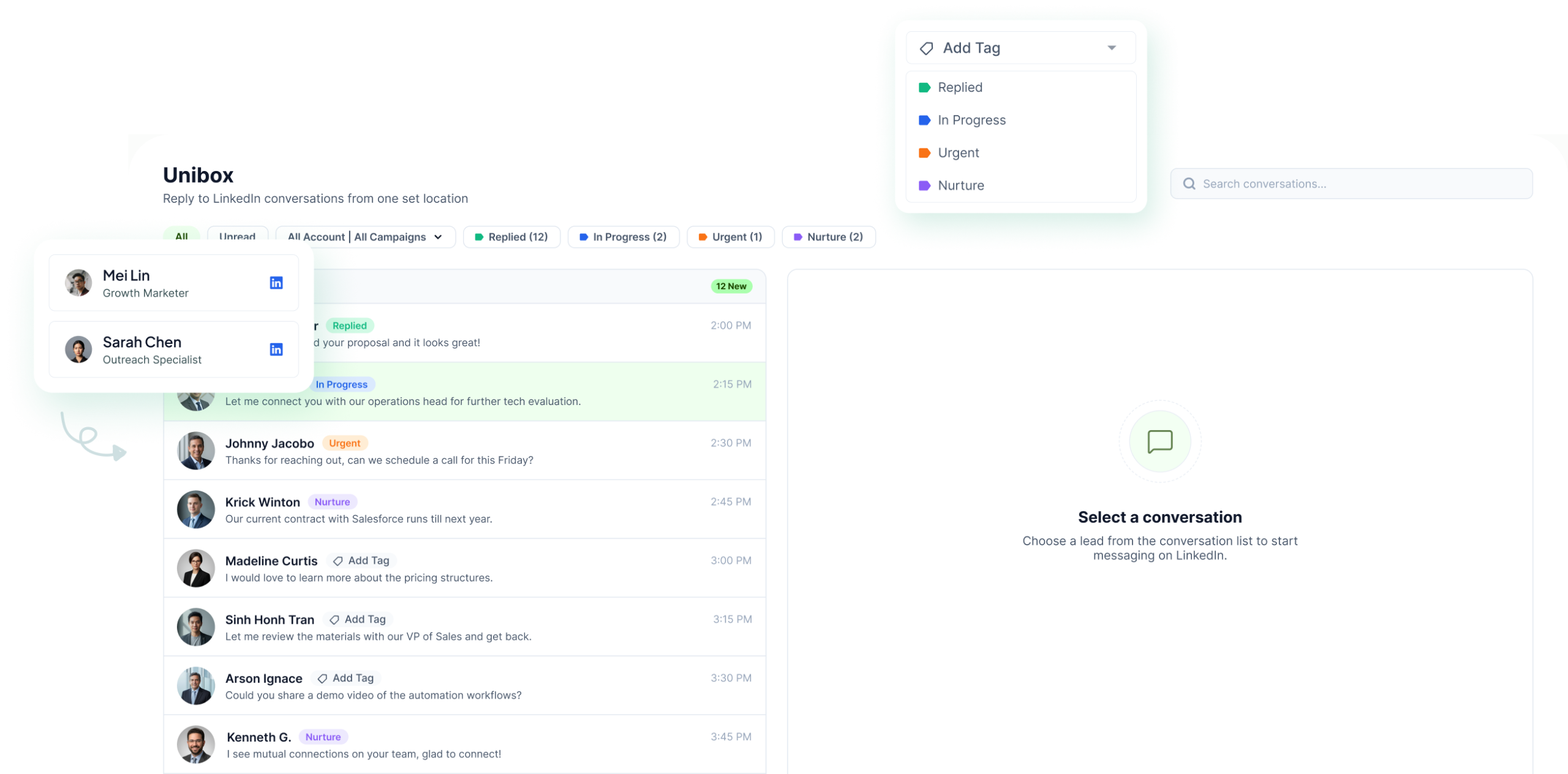
Bring LinkedIn messages, InMail replies, email, WhatsApp Business, Telegram and SMS into one inbox. Keep the conversation history, campaign context, owner, tags and status attached to every thread.
The LinkedIn outreach platform trusted by 300+ Companies and across 60+ Industries








One place
Replies stop living across separate inboxes
Every connected sender keeps sending from its own account or mailbox. The conversations come together in Unibox so the team can work them from one place.
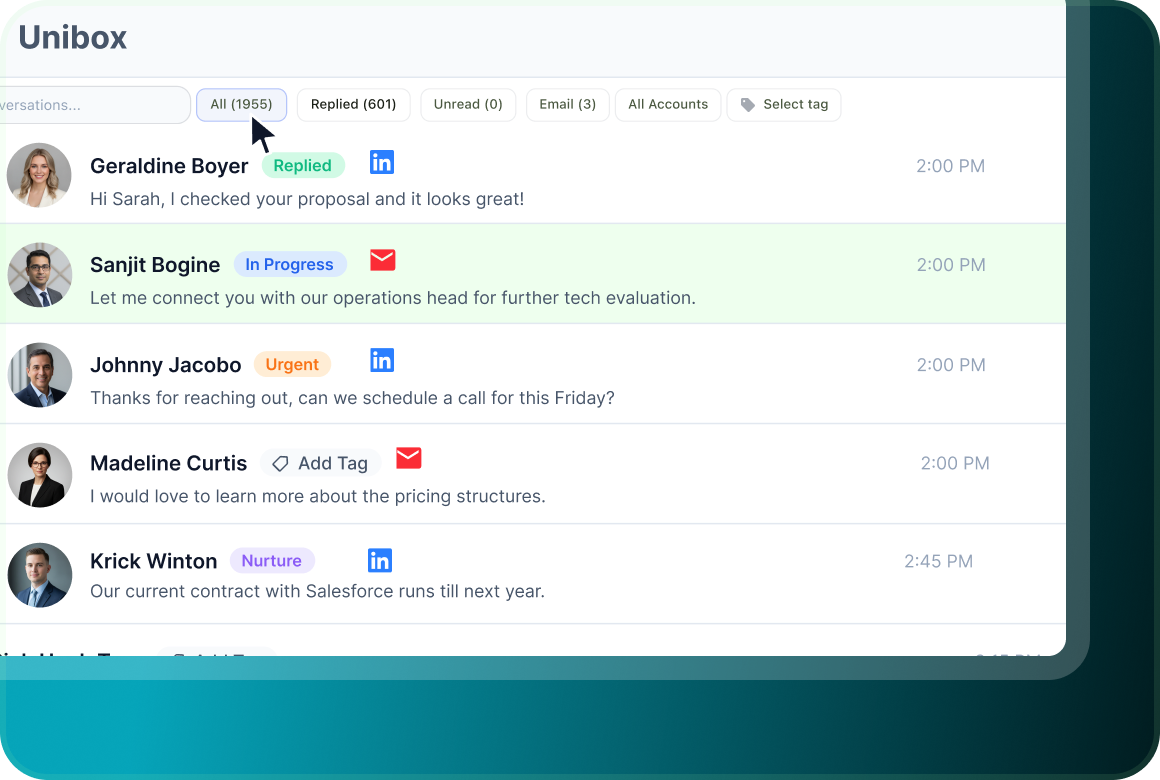
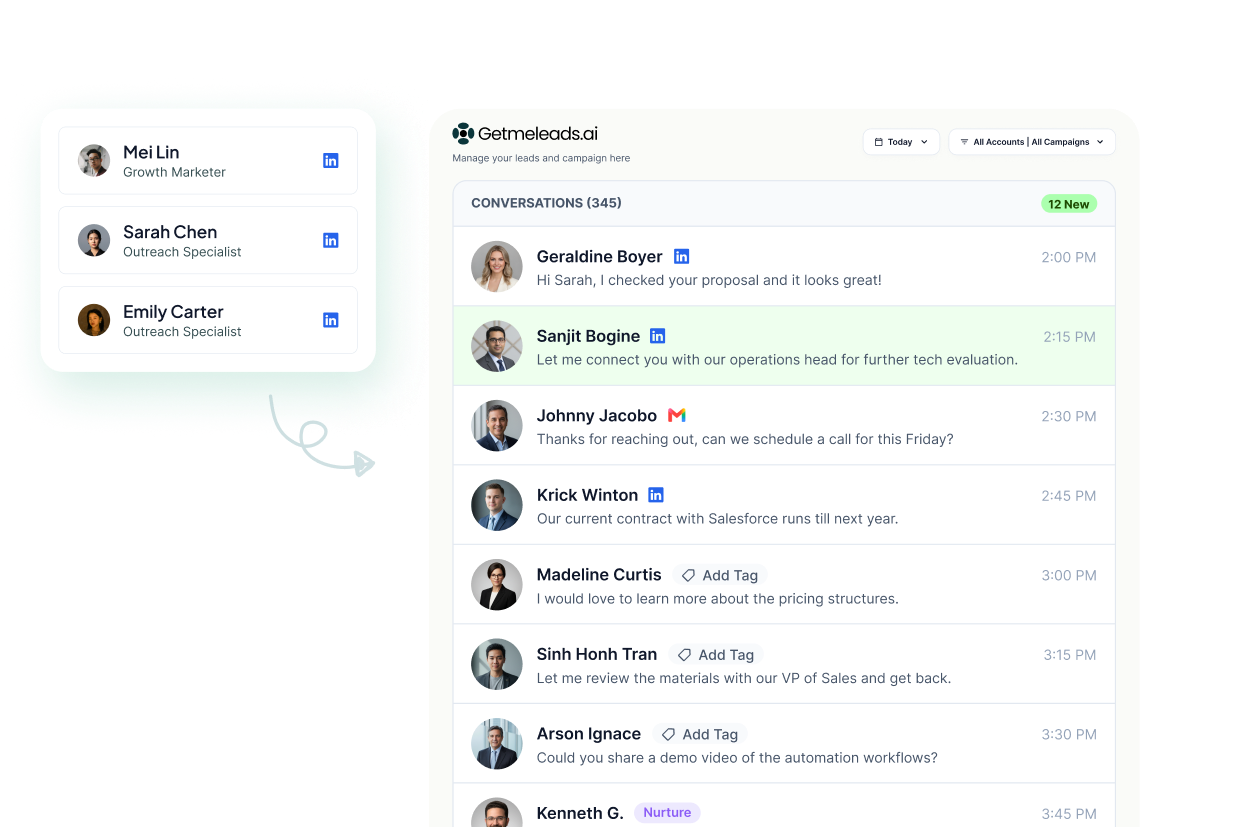
All accounts, one view
Read conversations together, or narrow the inbox to one connected account. The thread keeps the channel, owner and conversation history with it.
Tags your team names
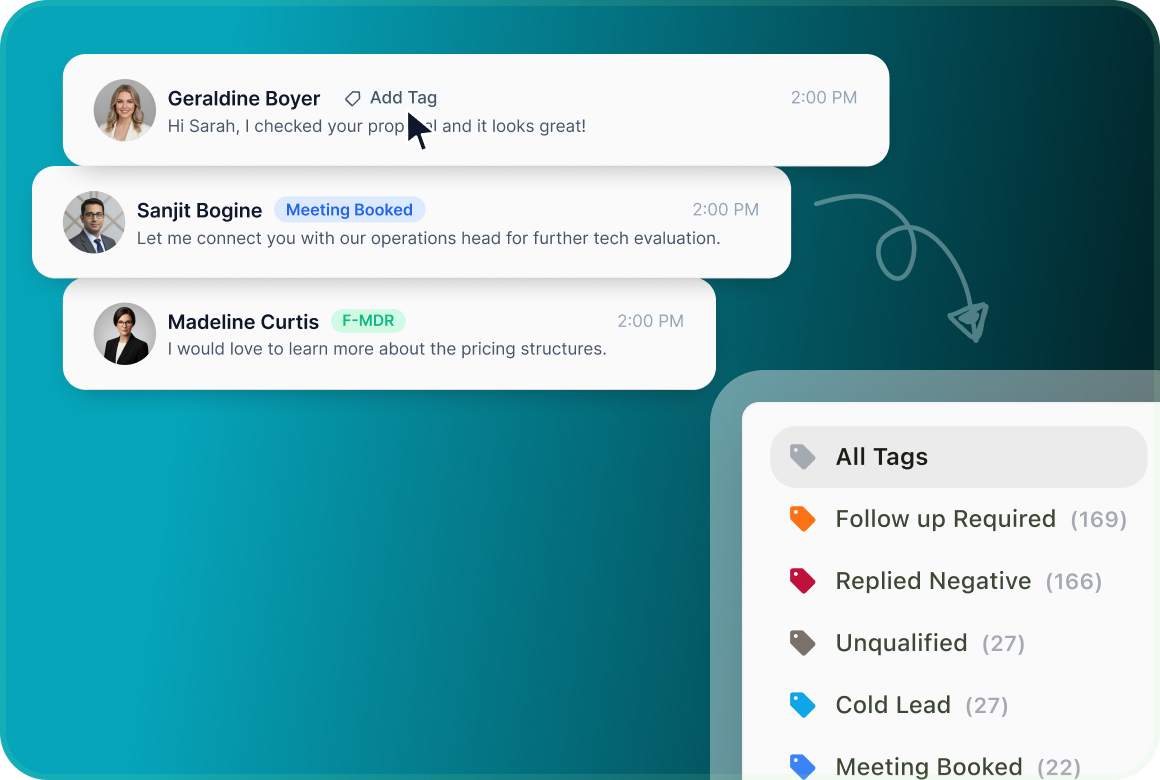
Create the labels your team already uses and attach them to the lead and conversation. Use those tags to organise and filter the work.
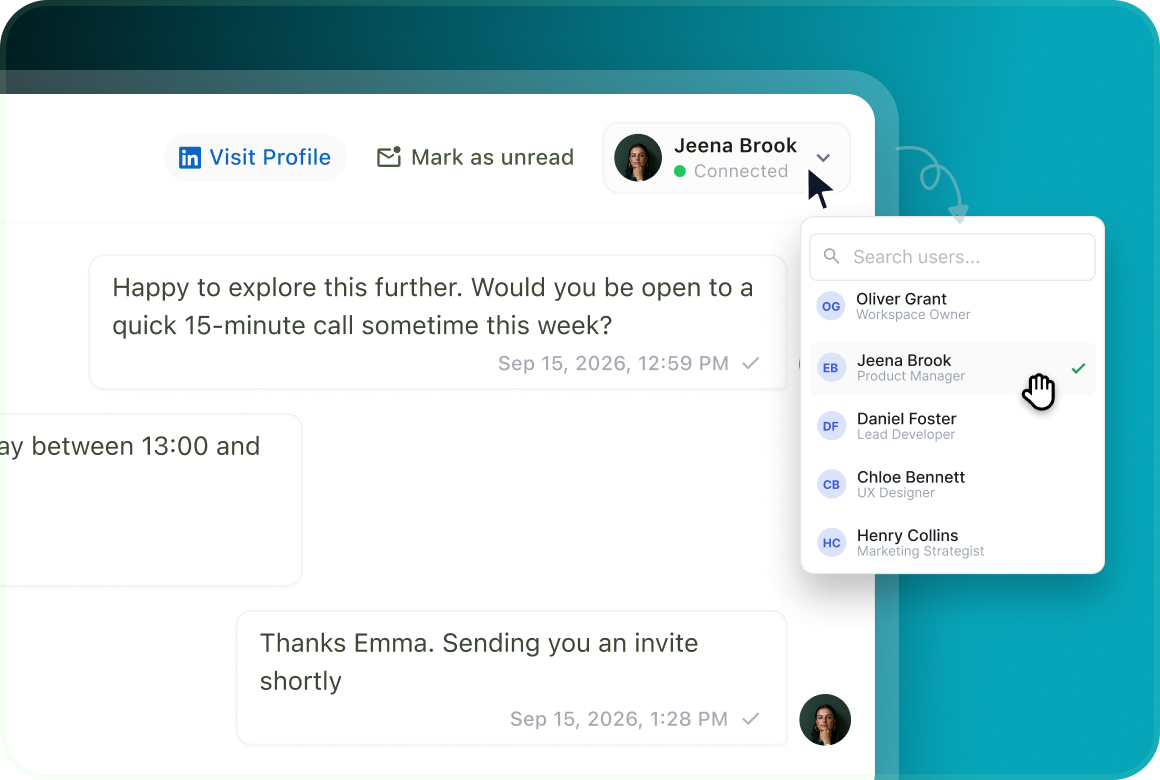
Assign it to a person
Give a conversation an owner so the team knows who is responsible for working the reply.
How it converges
Every account sends. One inbox works the replies.
As you add LinkedIn seats, mailboxes and other messaging channels, their replies do not need separate workflows. Unibox brings the conversations together while each reply still goes back through the account or mailbox that owns the thread.
Context
The reply arrives with the conversation behind it
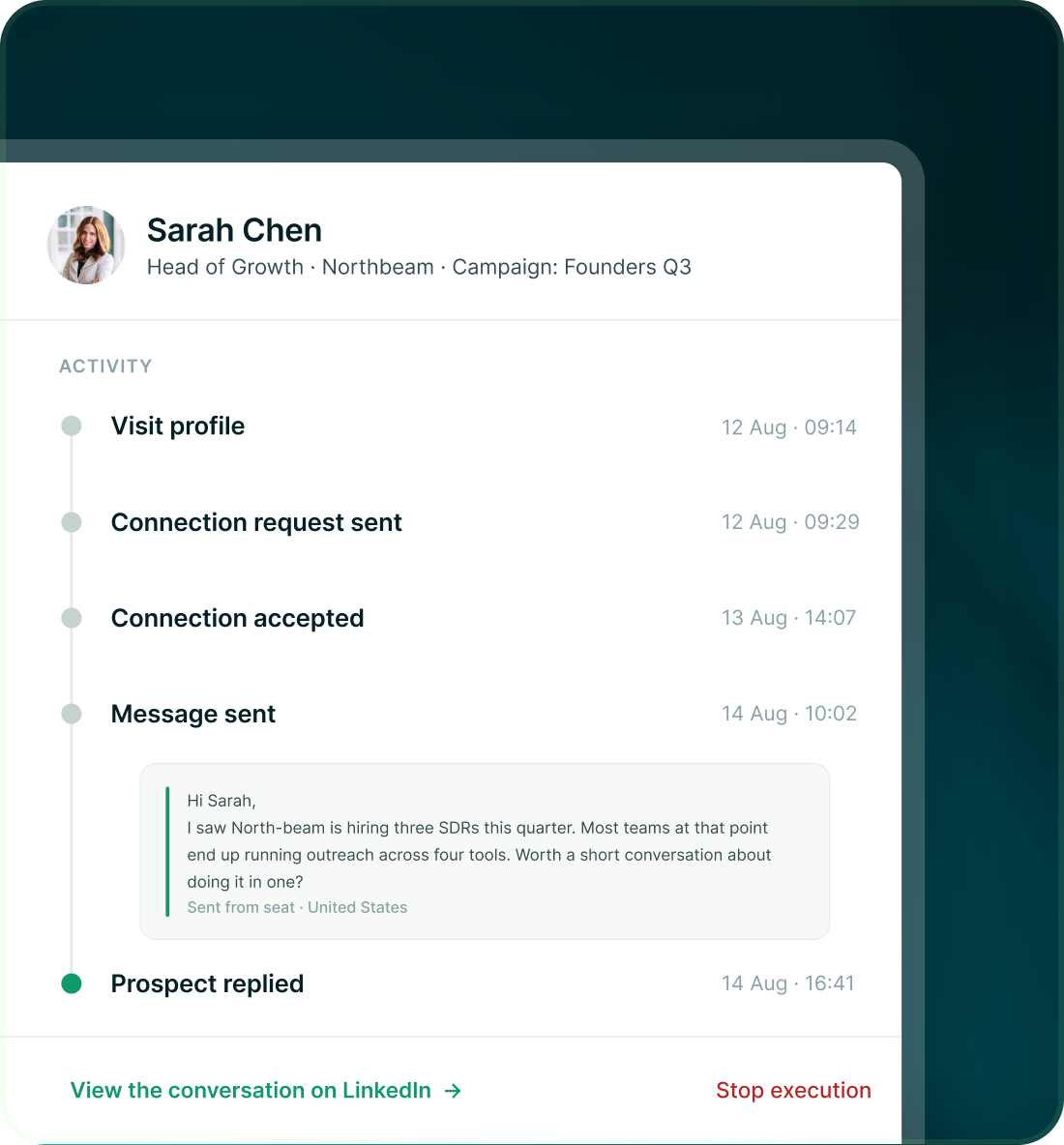
Each conversation carries its history and campaign context, so the person working the reply can see who the lead is, which channel owns the conversation and what happened in the thread.
- Read the messages in the thread rather than working from a campaign name alone.
- See which seat or mailbox owns the conversation and reply through that same sender.
- The thread carries campaign context, tags and status. The lead record keeps the detailed campaign activity and exact messages sent.
Tags and assignment
Label the reply the way your team already talks about it
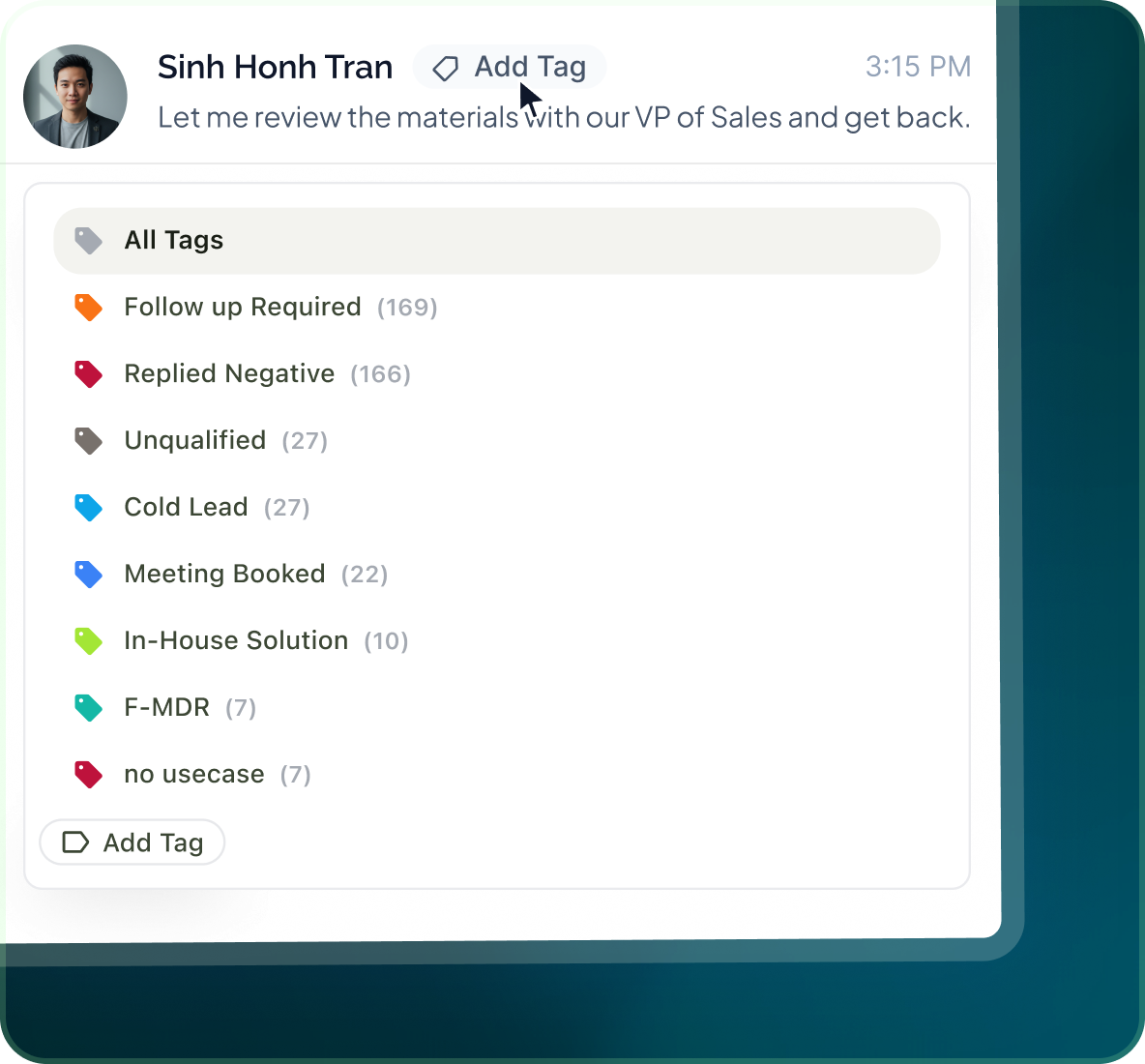
Create your own tags, keep them attached to the lead and conversation, then assign the reply to whoever should work it next.
- Add an existing tag or create a new one.
- Use All Accounts to narrow to a sender, or Select tag to work one category of conversations.
- Tags are available on both Leads and Unibox, so the same label stays useful outside the inbox.
Case studies
Teams who can show their work
“Using Get Me Leads has been one of our smartest investments. Our team actively engages with the platform, and we’ve seen a notable boost in our sales.”




“We’ve fully transitioned our operations to Get Me Leads. The product is user-friendly and adaptable, greatly helping us increase our lead generation.”


Build the list. Check who is in it. Then launch.
Questions
What people ask about the inbox
Yes. Unibox brings together LinkedIn messages, InMail replies, email, WhatsApp Business, Telegram and SMS.
Yes. Reply from the conversation and the response goes through the seat or mailbox that owns that thread.
Assign the conversation to an owner. The assignment stays with the thread so the team can see who is responsible for it.
No. Add an existing tag or create one that matches the way your team categorises leads.
Yes. Each conversation carries its full history and campaign context. The lead record also keeps the detailed campaign activity and exact messages that were sent.
Use the All, Replied and Unread tabs, filter to a connected account with All Accounts, or filter by a selected tag.