


 Teams & permissions
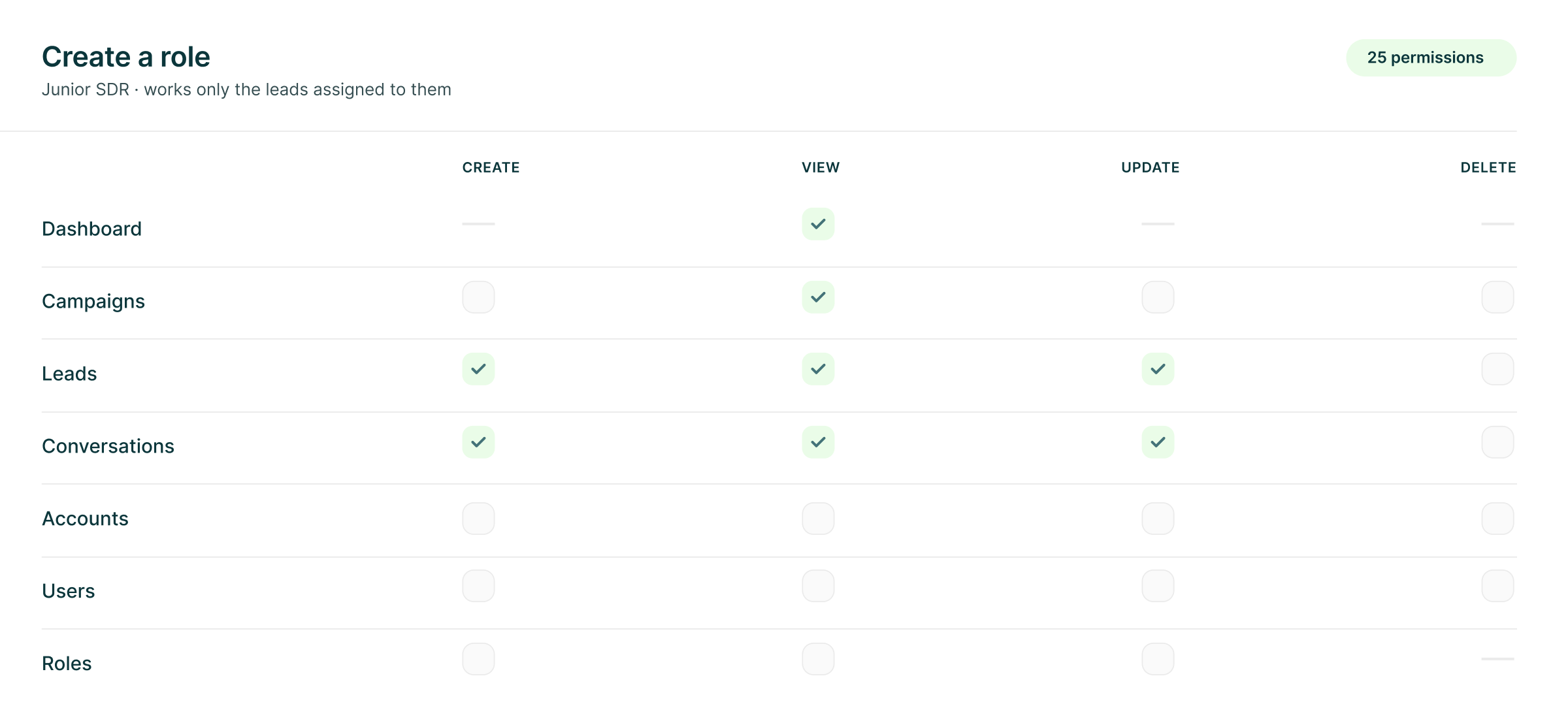
25 Permissions. The Right Role for Every Job.
Start with Owner, Admin or SDR, or build a custom role around exactly what someone needs to do. Then assign campaigns so each person works the right part of the workspace.
The LinkedIn outreach platform trusted by 300+ Companies and across 60+ Industries








Seats, people and roles
A seat is a sender. A person is a teammate.
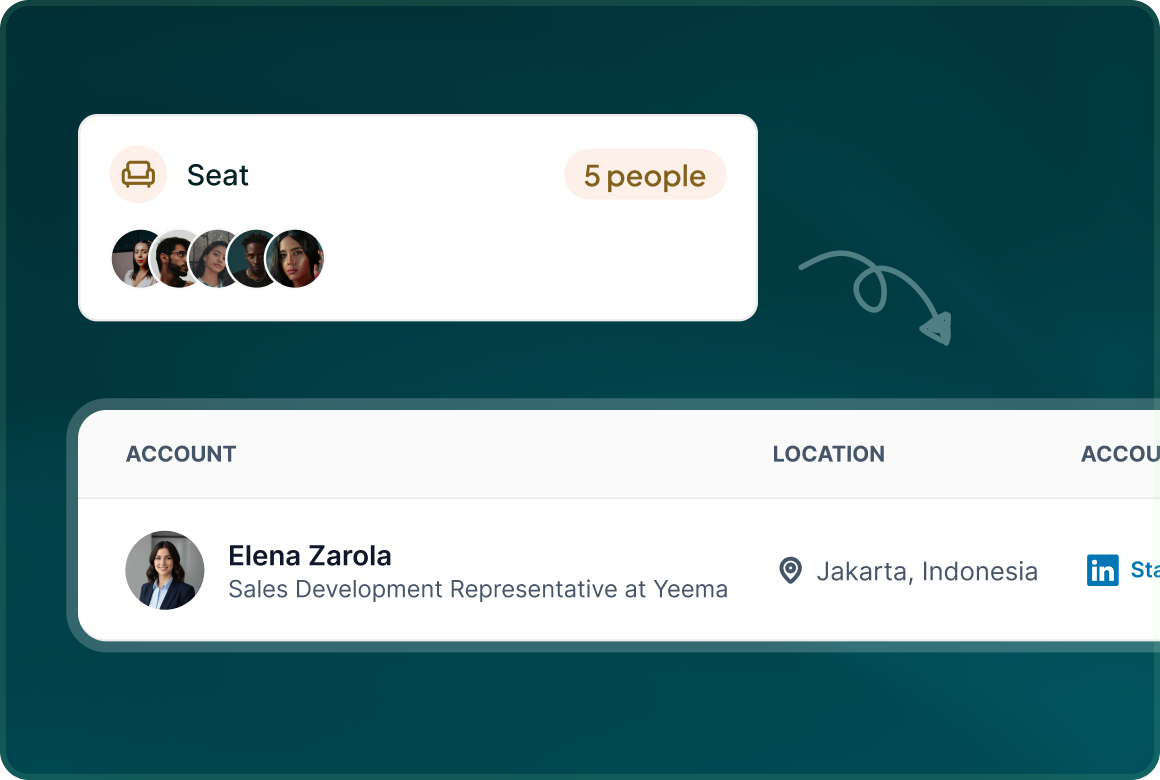
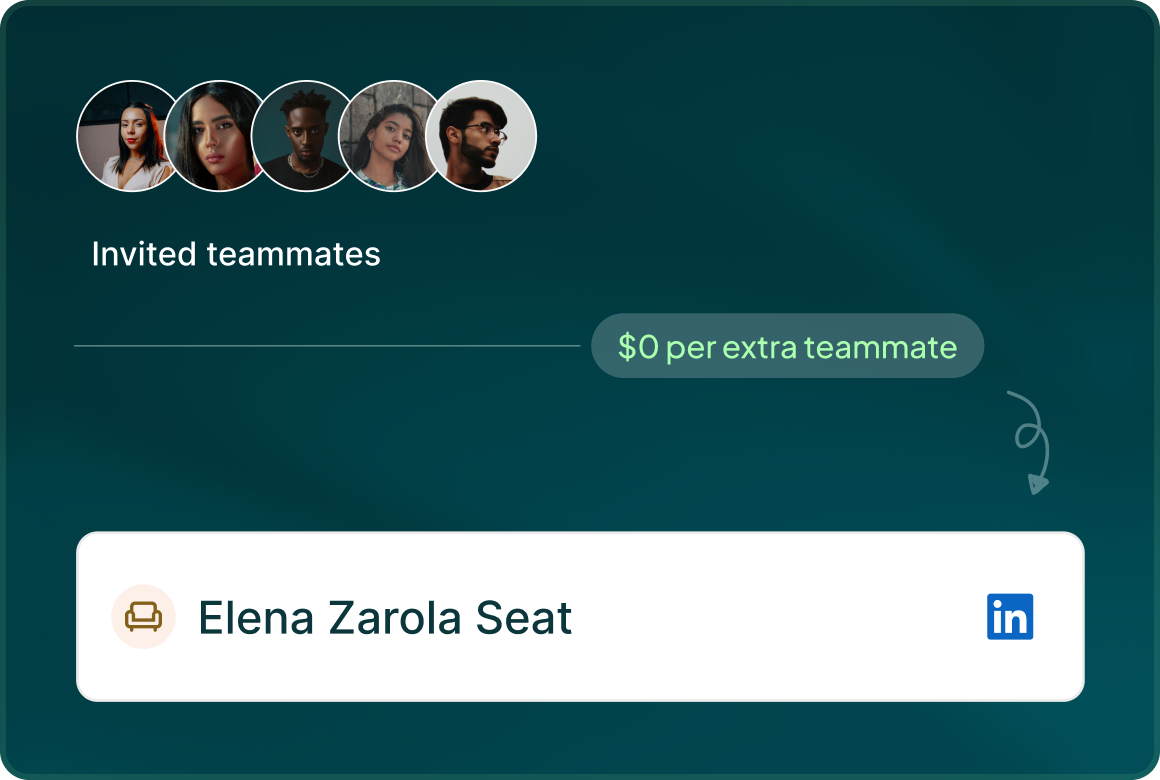
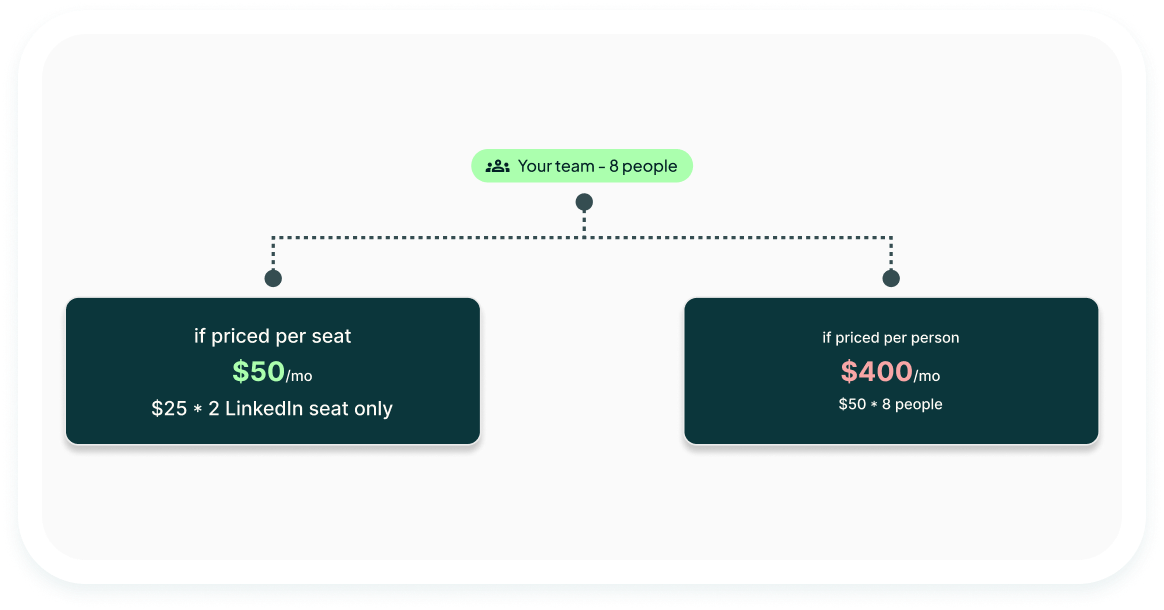
Keep sending capacity separate from the people operating it. A seat is a connected LinkedIn account or email mailbox. Teammates are unlimited and free.
Seats
A seat is a connected sender: either a LinkedIn account or an email mailbox. The seat carries the account that actually sends the outreach.
People
Invite as many teammates as you need without adding a per-user fee. Give each person a role and let them work the campaigns they are responsible for.
Roles
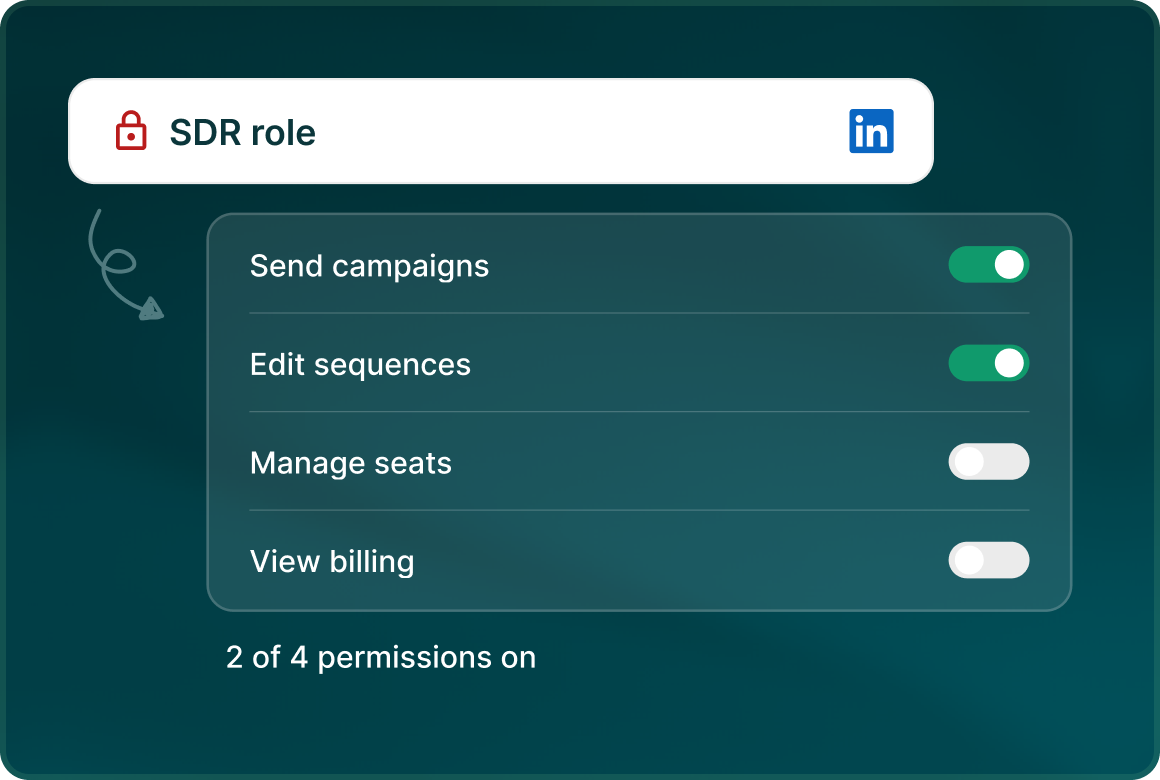
Use the built-in roles or create your own. The role builder gives you 25 permissions across seven product areas.
The bill
Pay for the sending accounts. Not everyone working on them.
LinkedIn seats are $25 per month before volume or annual discounts. Email seats are $15 per mailbox per month. Teammates are unlimited and free.
Roles
Start with the defaults. Build the rest yourself.
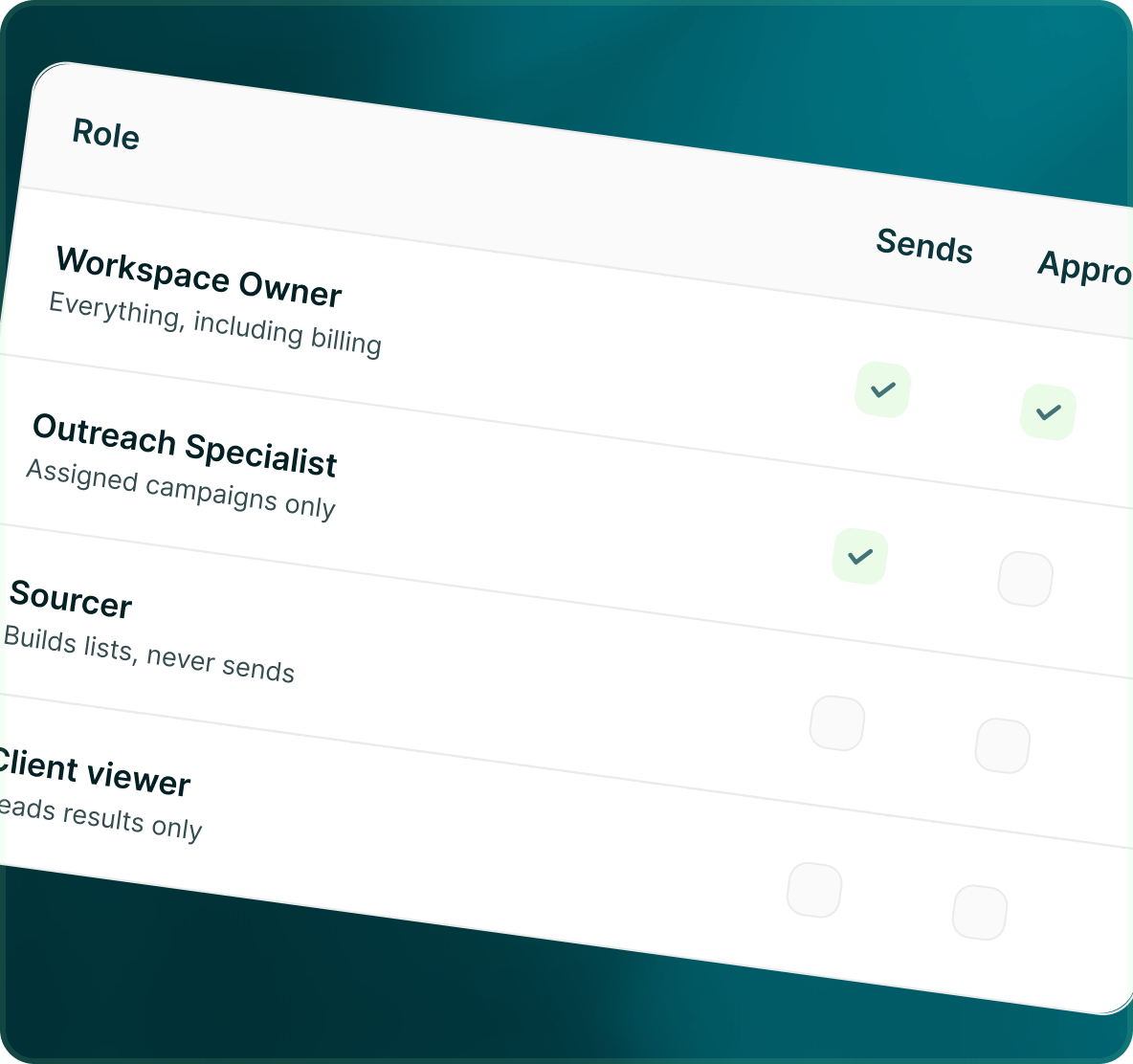
Owner, Admin and SDR are built in. When those are not specific enough, create as many custom roles as you need from the same 25 permissions.
- Workspace ownership and full workspace administration.
- Administrative access without changing the ownership model.
- A working role that can be limited to assigned campaigns.
- Build a role for the job: sourcer, campaign specialist, client viewer or another permission set your team needs.
Assignment
Give someone the campaigns they are responsible for
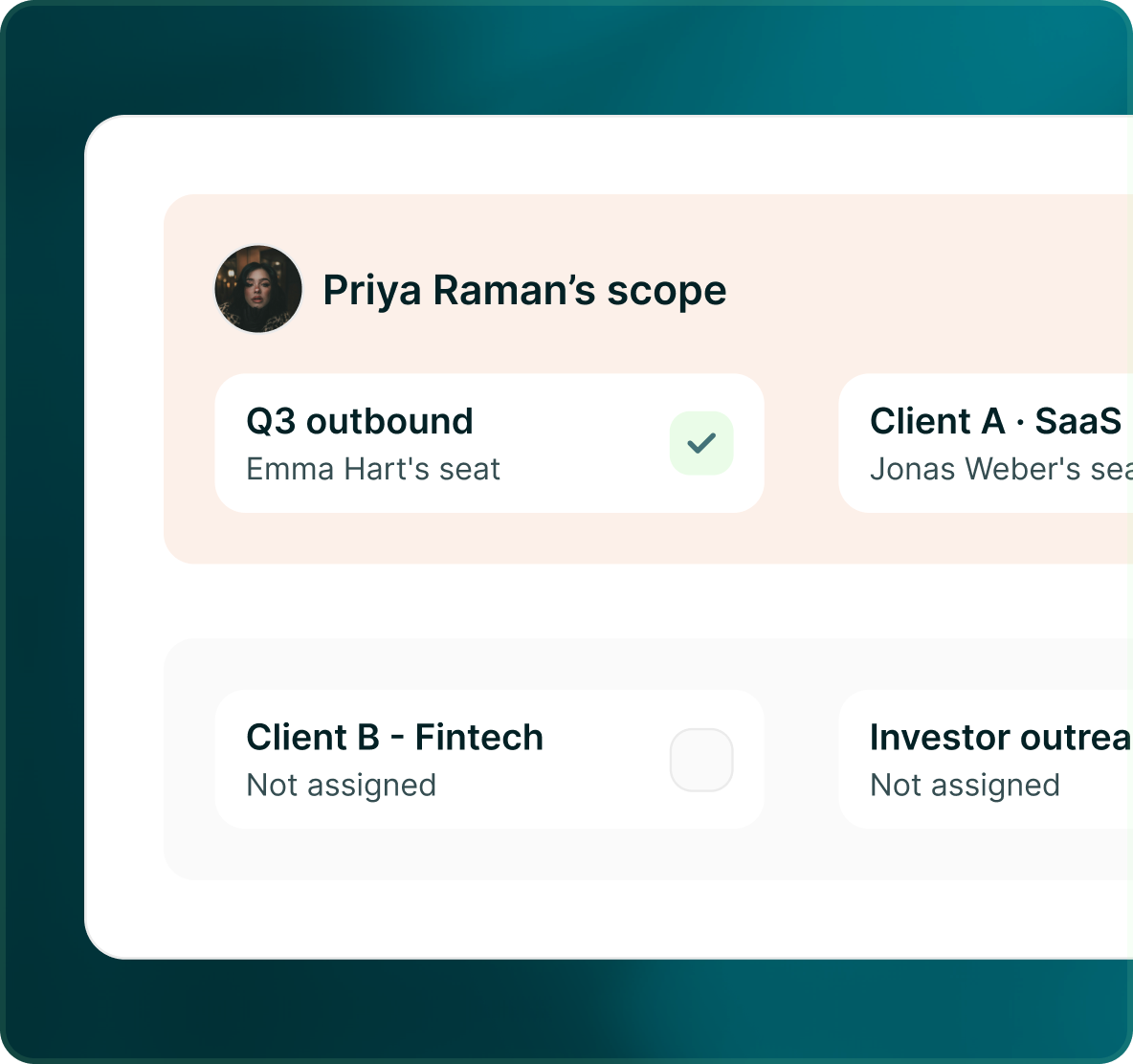
Permissions define what a role can do. Campaign assignment narrows the work to the campaigns that person is responsible for.
- Choose who is responsible for each campaign.
- An SDR can be restricted to the campaigns assigned to them rather than working across the entire workspace.
- For a running LinkedIn campaign, the person working the campaign can change while the connected LinkedIn seat remains the sender.
Case studies
Teams who can show their work
“Using Get Me Leads has been one of our smartest investments. Our team actively engages with the platform, and we’ve seen a notable boost in our sales.”




“We’ve fully transitioned our operations to Get Me Leads. The product is user-friendly and adaptable, greatly helping us increase our lead generation.”


Build the list. Check who is in it. Then launch.
Questions
Add the team. Give everyone the right scope.
No. Teammates are unlimited and free. You pay for connected sender seats: $25 per month for a LinkedIn seat and $15 per month for each email mailbox, before applicable discounts.
There are 25 permissions across Dashboard, Campaigns, Leads, Conversations, Accounts, Users and Roles.
Yes. A workspace is a separate environment with its own seats, members, billing, credits, lead lists and campaigns. You can create workspaces, invite members, assign roles and switch between them.
Yes. The audit log keeps a searchable history of campaign changes, approvals, member changes, subscription updates, lead deletions, block-list changes, integrations and connections.
Yes. GML includes Owner, Admin and SDR as built-in roles, plus unlimited custom roles built from the 25-permission role builder.
Yes. Campaign assignment allows an SDR to be limited to the campaigns assigned to them.