


 For Recruiters
Turn one open role into
a running candidate pipeline
Build the candidate list, reach people who are not applying, keep every reply in one place and return to strong past candidates without starting the search from zero.
The recruiter case
Three parts of sourcing
that should stay connected
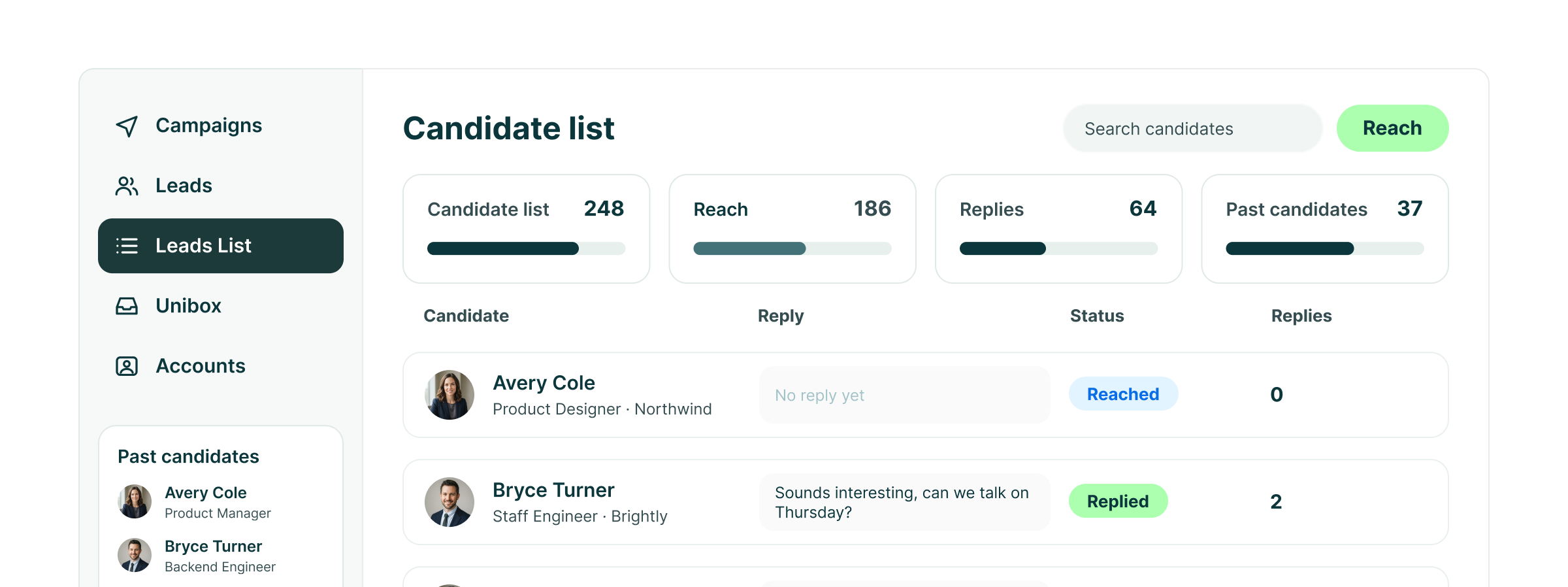
The list, the recruiter sending from it and the conversation that follows should stay part of the same operating record.
A pipeline for one role
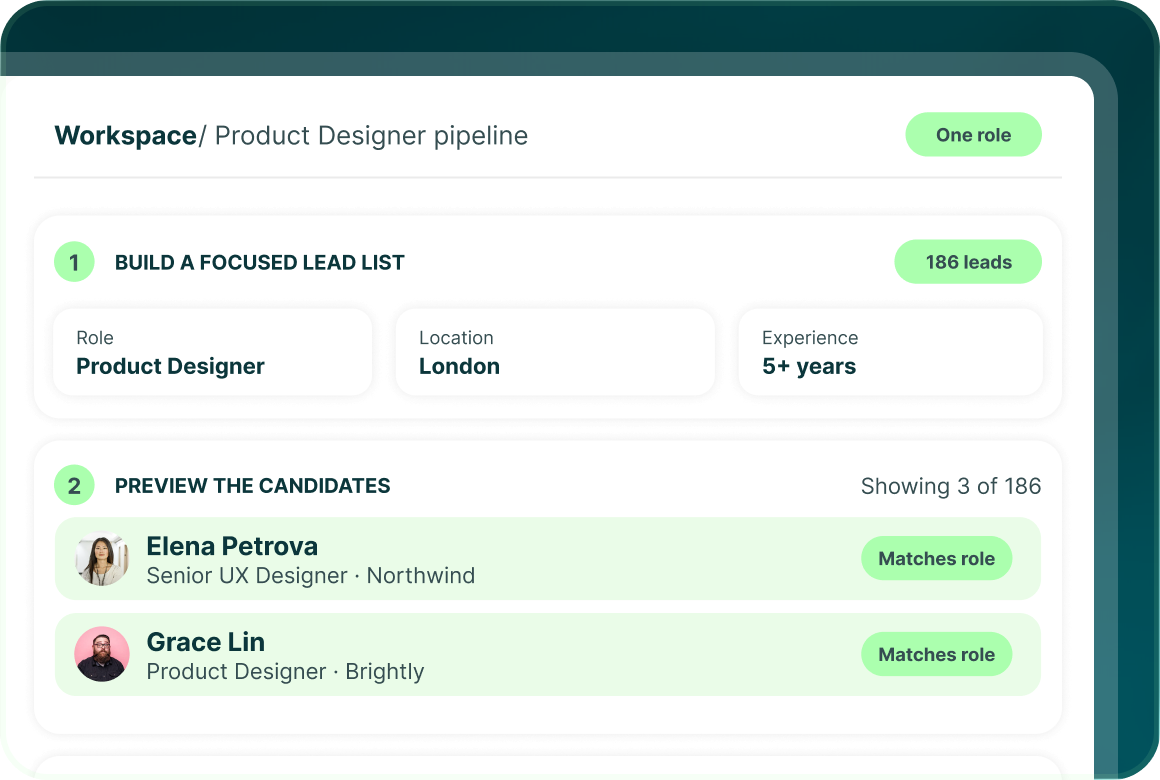
Build a focused lead list for the role, preview the candidates and run a dedicated campaign around that audience.
Reach people who are not applying
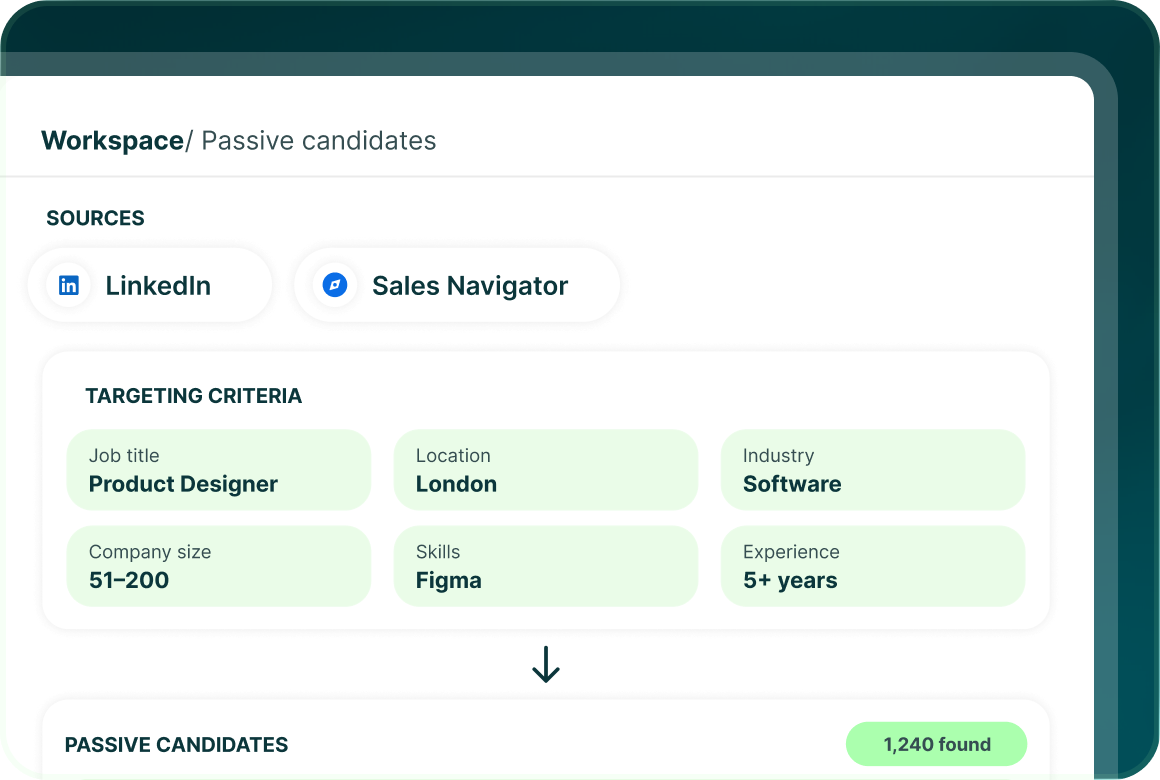
Use LinkedIn and Sales Navigator targeting to find passive candidates by the criteria available in those sources, then bring them into an outreach campaign.
Go back to strong past candidates
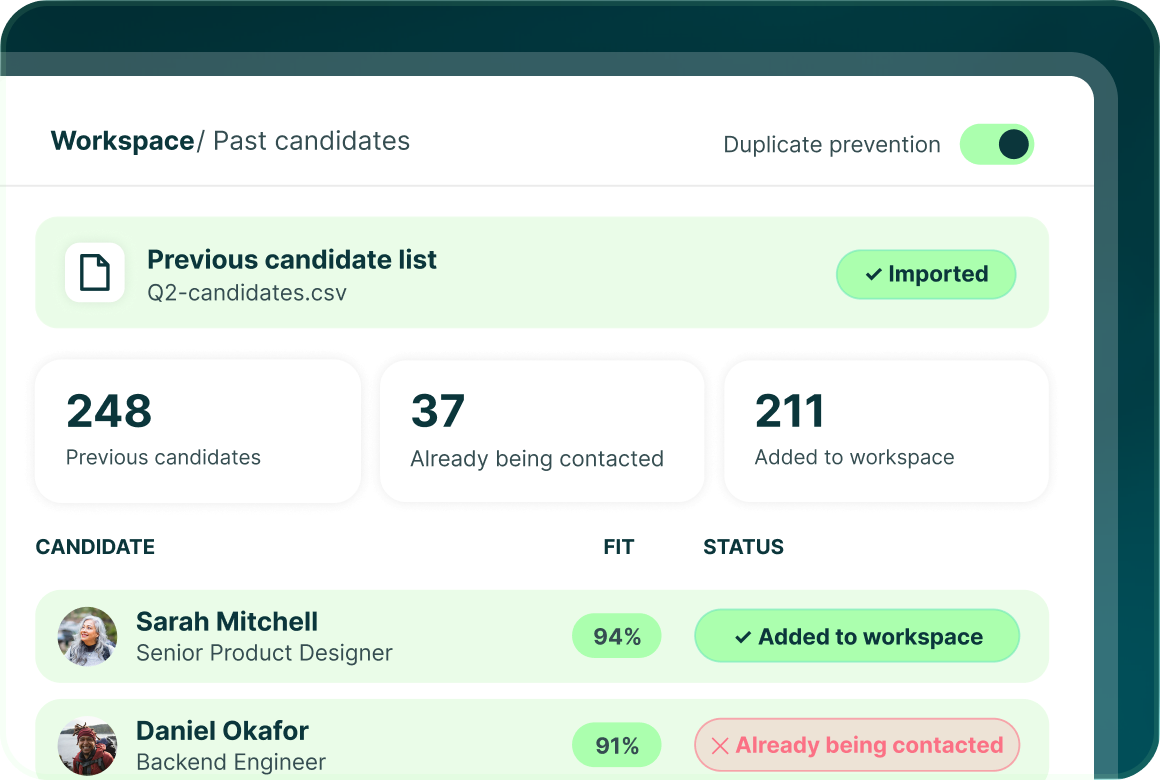
Bring previous candidate lists back into the workspace and use duplicate prevention so people already being contacted are not enrolled twice.
Organisation
Keep every search
clear enough to hand over
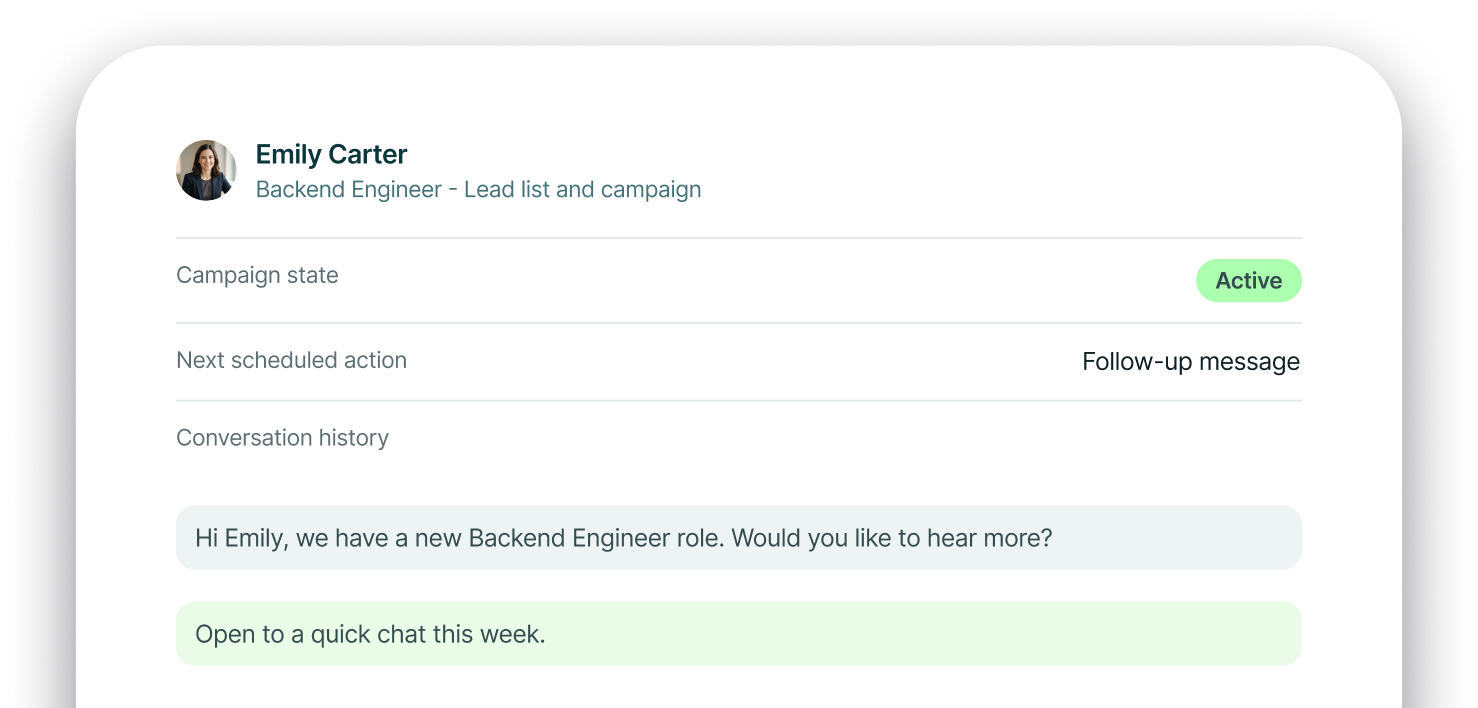
Use separate lead lists and campaigns for different roles, then keep campaign state, next scheduled action and conversation history attached to each candidate.
The sequence
Start on LinkedIn.
Add email when it belongs.
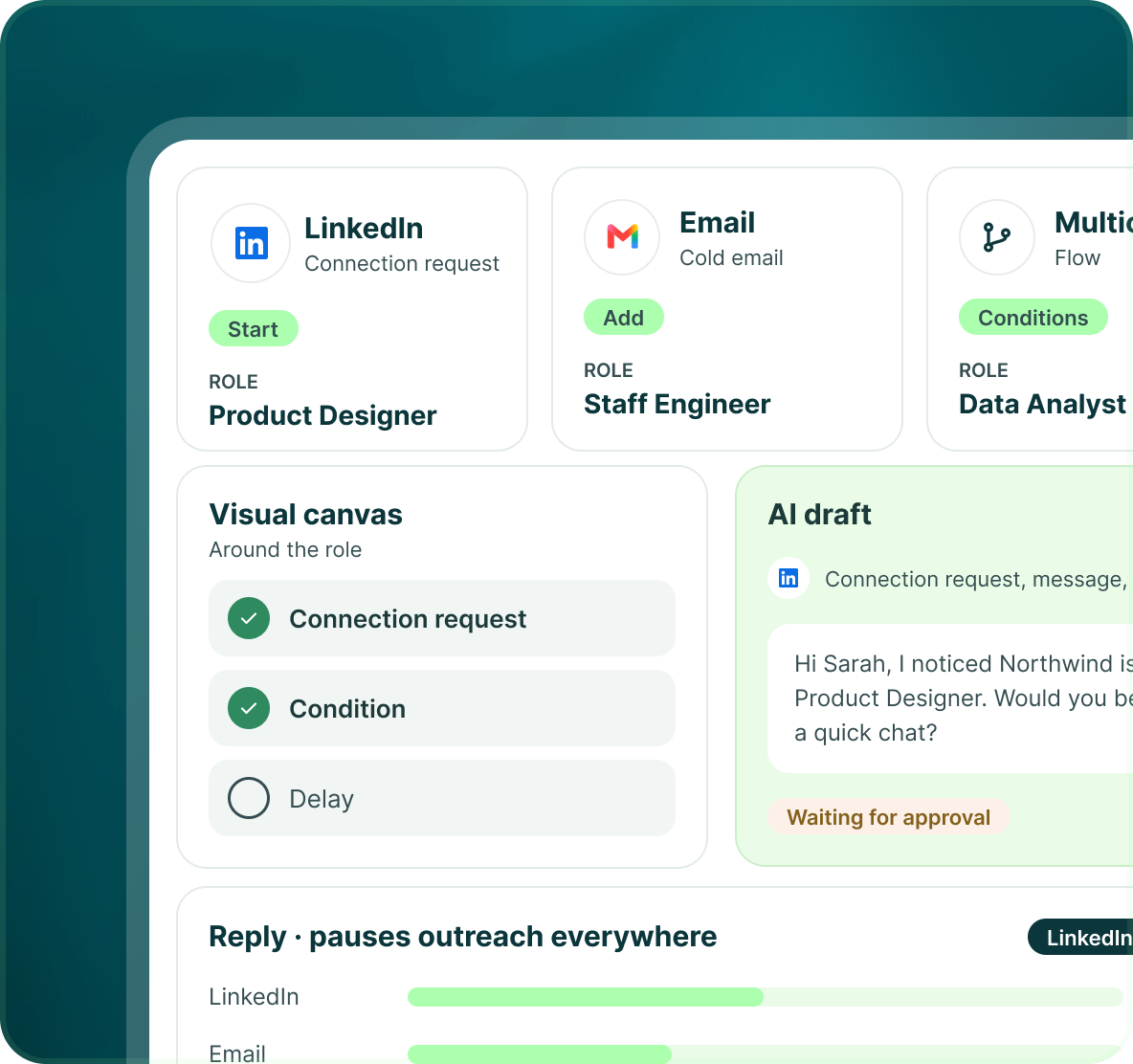
Recruiter outreach can use LinkedIn, email or a multichannel flow, with conditions deciding what happens next.
- Use the visual canvas to combine actions, conditions and delays around the role.
- AI can draft connection requests, messages, InMail and email. Generated messages wait for approval before they send.
- A reply on any connected channel pauses outreach to that candidate everywhere.
The team
Give each recruiter
a sender they control
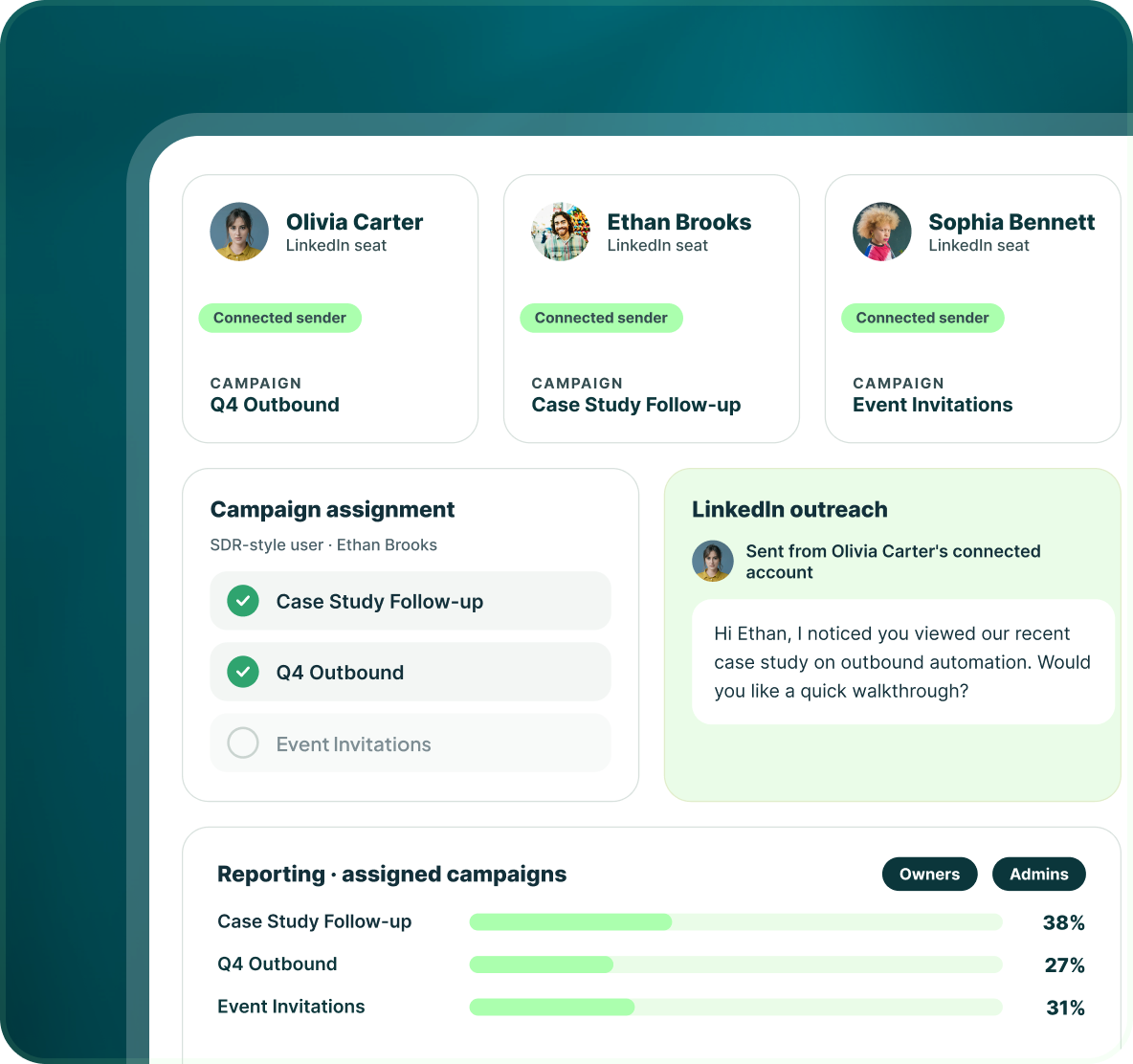
A LinkedIn seat is a connected LinkedIn account. Recruiters can work from their own sender accounts while managers keep visibility across the workspace.
- LinkedIn outreach leaves from the connected recruiter account selected for the campaign.
- Campaign assignment can limit an SDR-style user to the campaigns assigned to them.
- Owners and Admins retain the workspace view, while each user can see reporting for their assigned campaigns.
Run it for two weeks and read every message it sent
Every message sits on the lead record with its step and timestamp. Open any lead and see what it received.

Questions
Doing outbound as a founder
Yes. The documented recruiting use case is a dedicated pipeline for a single role, using a targeted lead list and campaign.
Yes. GML can build lists from LinkedIn and Sales Navigator sources and use them in LinkedIn, email or multichannel campaigns.
Yes. Bring your own data through supported file imports and use duplicate prevention to avoid overlapping outreach.
Yes. AI can draft sending steps, but generated messages are held for human approval before they send.
A reply on any channel pauses outreach to that person everywhere.
No. Teammates are unlimited and free. Charges are based on connected LinkedIn seats, email seats and applicable add-ons.