


 Reply Management
Turn Every Reply into Your Next Action.
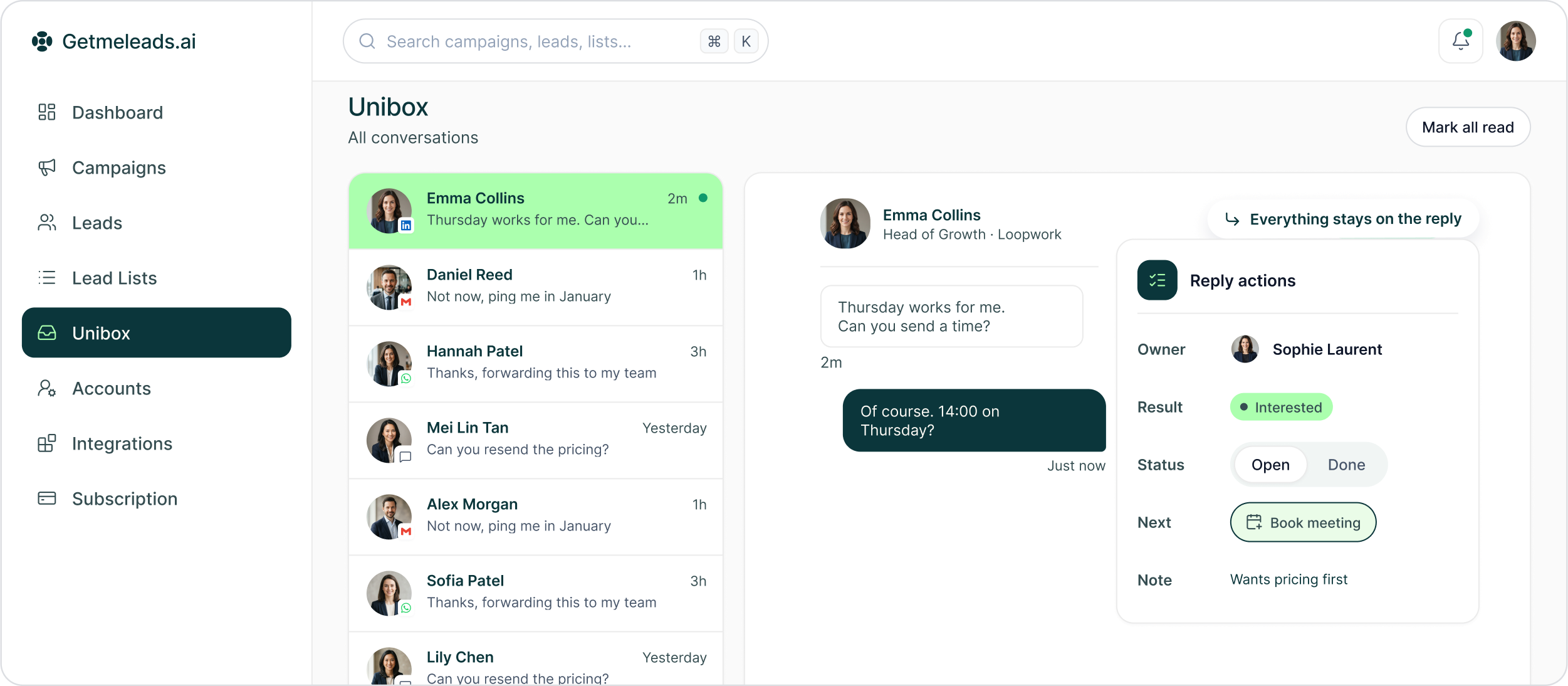
Open the conversation, assign the owner, add the context, mark the commercial result and decide what should happen next — without moving the reply into another system.
The LinkedIn outreach platform trusted by 300+ Companies and across 60+ Industries








From Reply to Action
Three decisions after the prospect answers
Unibox gives the team more than a reply box. It keeps ownership, commercial status and the next action attached to the conversation.
Understand the conversation
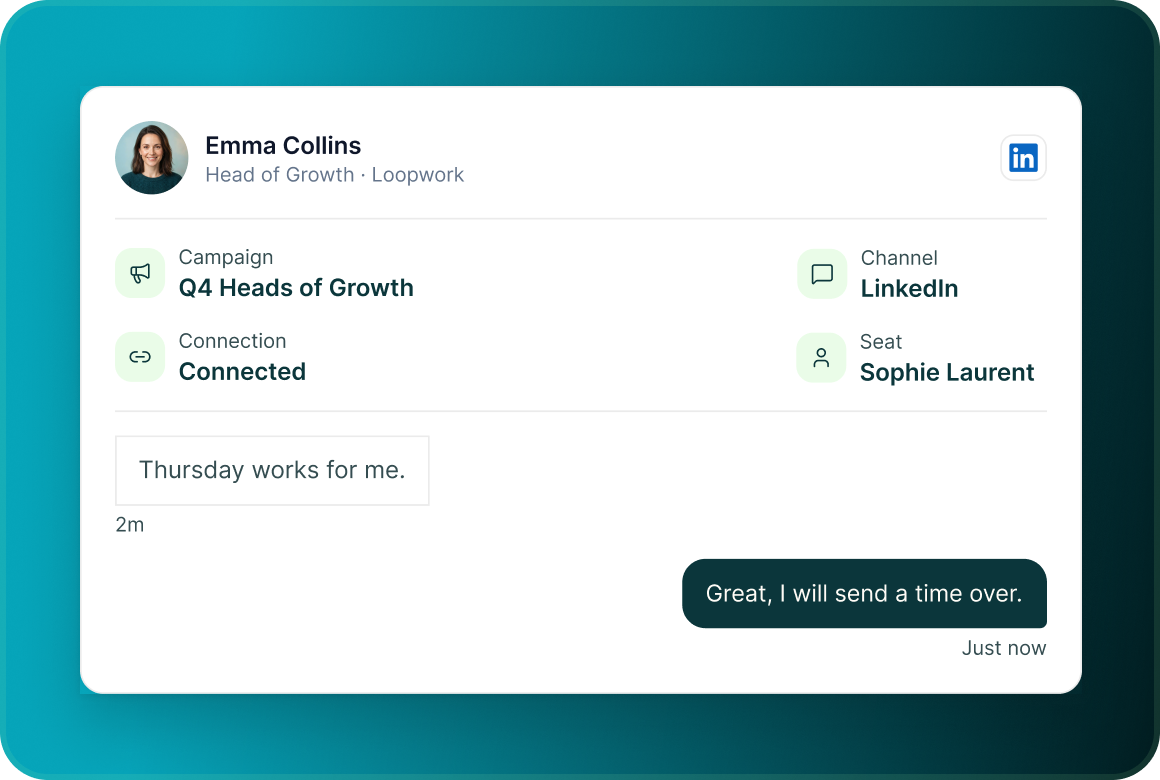
Open the reply with the lead's identity, campaign context, channel, conversation history and connection details already visible.
Give it an owner and context
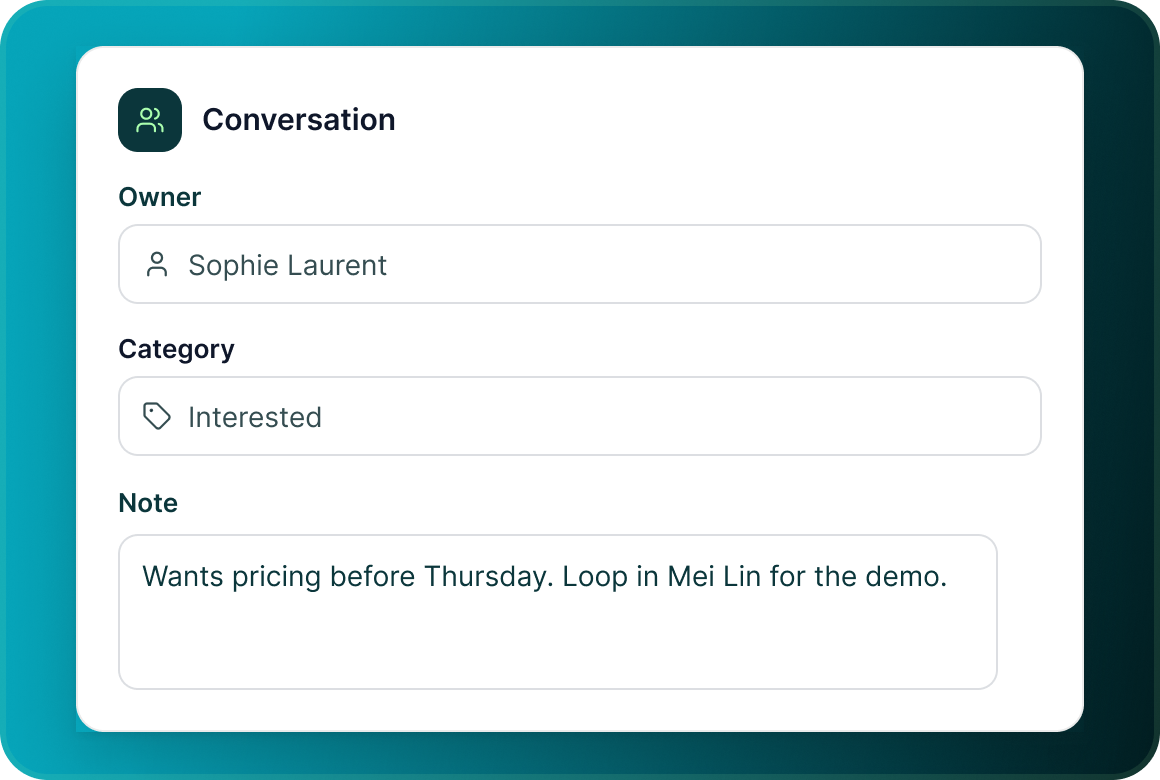
Assign the conversation, add a note, re-categorise it when needed and leave the information the next teammate needs.
Mark the commercial result
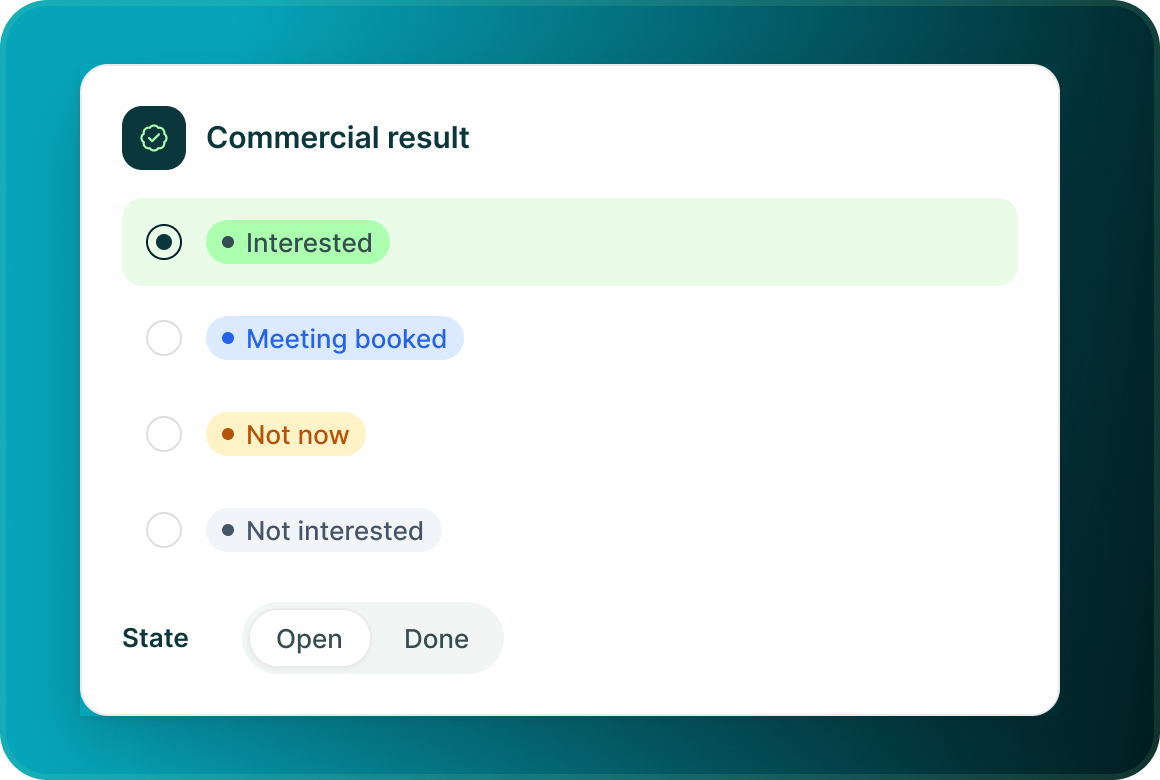
Classify the conversation as Interested, Meeting booked, Not now or Not interested, then keep it Open or mark it Done.
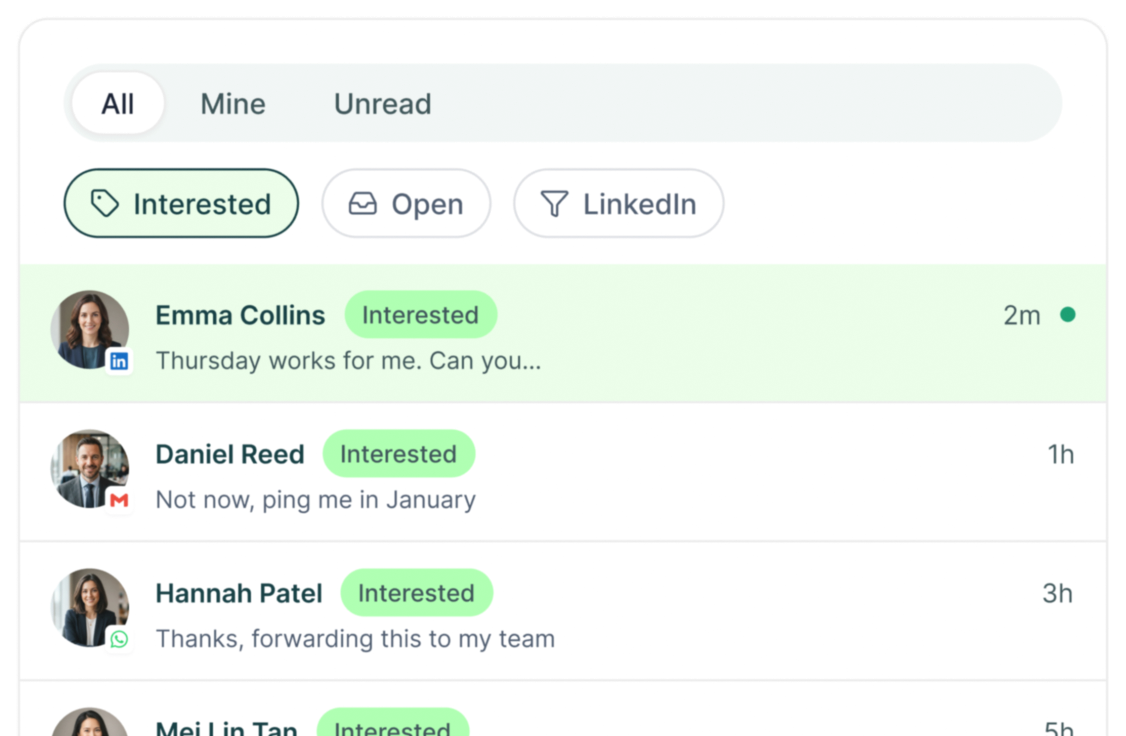
Conversation queue
Do not search six inboxes to find the reply that matters
Use the Unibox views and filters to narrow the queue before opening the conversation.
Inside the thread
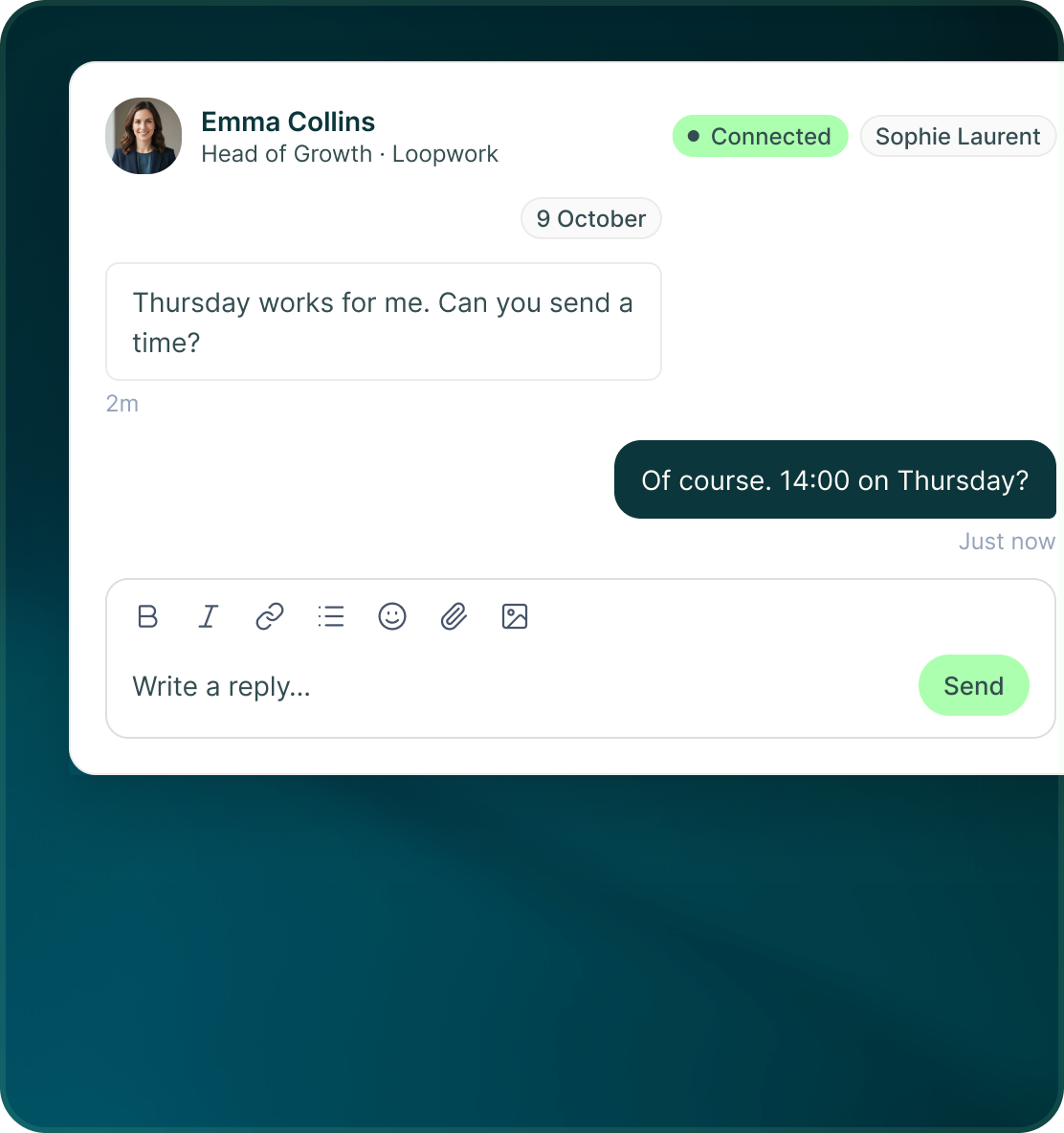
Everything needed to continue the conversation stays beside it
The conversation view combines the message history with the controls needed to work the reply.
- See the lead's name and title, connection status, sending seat and messages grouped by date.
- The composer supports formatting, links, lists, emoji, attachments and images.
- Responses go through the seat or mailbox that owns that conversation.
Follow-up
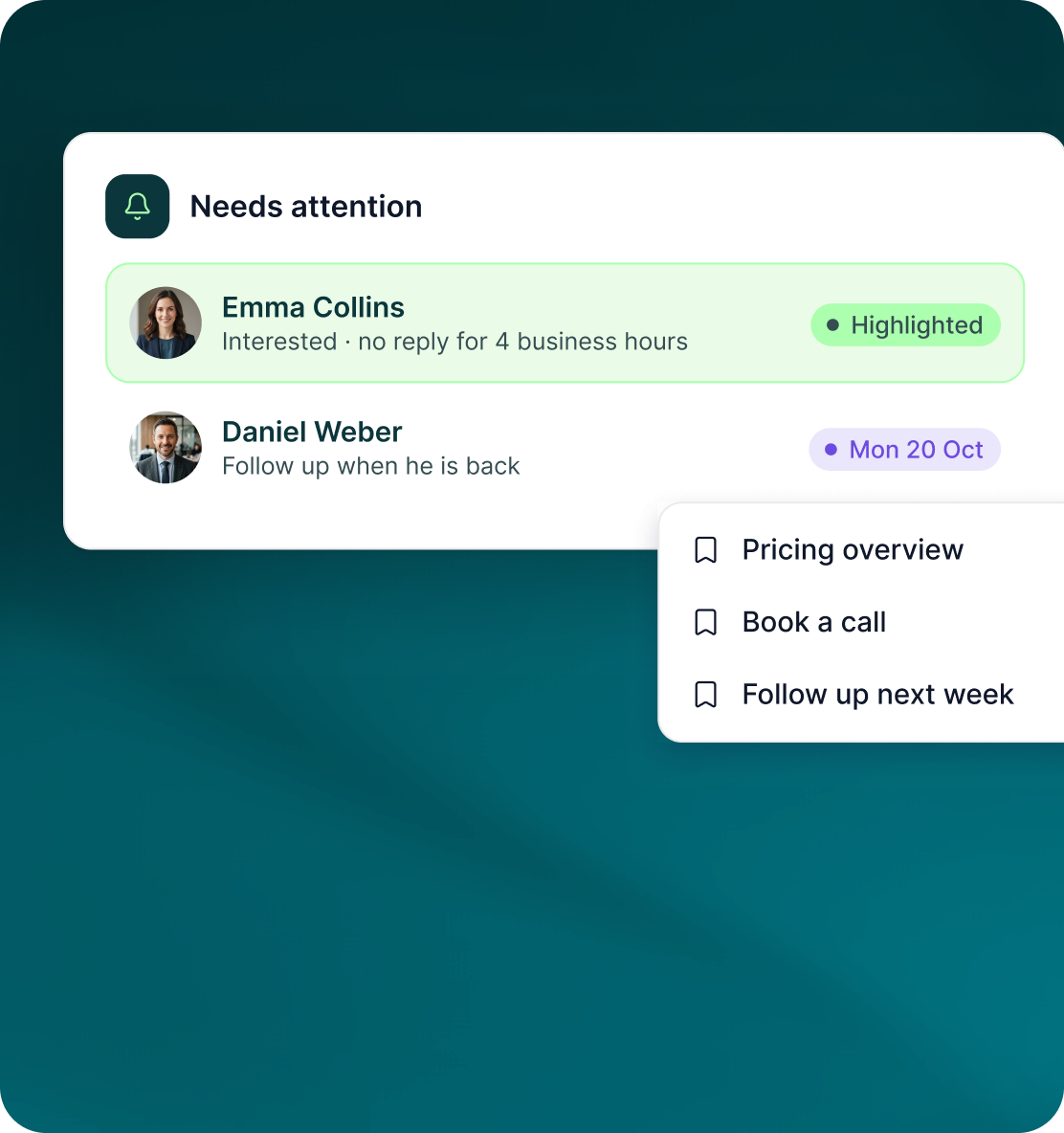
Not every reply needs the same next action
Use the conversation tools to keep active opportunities moving without losing replies that need attention later.
- Bring a conversation back on a chosen date when the prospect asks you to follow up later.
- Keep repeatable responses available without rebuilding the same message each time.
- Interested replies older than four business hours are highlighted, and GML also provides a daily digest.
Case studies
Teams who can show their work
“Using Get Me Leads has been one of our smartest investments. Our team actively engages with the platform, and we’ve seen a notable boost in our sales.”




“We’ve fully transitioned our operations to Get Me Leads. The product is user-friendly and adaptable, greatly helping us increase our lead generation.”


Build the list. Check who is in it. Then launch.
Questions
Managing replies in GML
Unibox includes LinkedIn messages, InMail replies, email, WhatsApp Business, Telegram and SMS.
Yes. Conversations can be assigned to the person responsible for working them.
Yes. Notes can be added while working the conversation.
Interested, Meeting booked, Not now and Not interested.
Yes. Snooze the conversation and bring it back on a chosen date.
Yes. From a reply, the next action can be to book a meeting or add the lead to a LinkedIn campaign.