


 AI messaging
AI Writes. You Review. Then Send.
AI drafts messages from the context available to the campaign — lead data, recent activity, your own guidelines and the workspace Brain. Every generated message waits for review before it goes out under your name.
The LinkedIn outreach platform trusted by 300+ Companies and across 60+ Industries








The Draft
Give it the context. Then review what it writes.
AI can use lead data, recent activity, your campaign guidance and the private Brain for your workspace. The draft stays under your control before it sends.
What it Reads
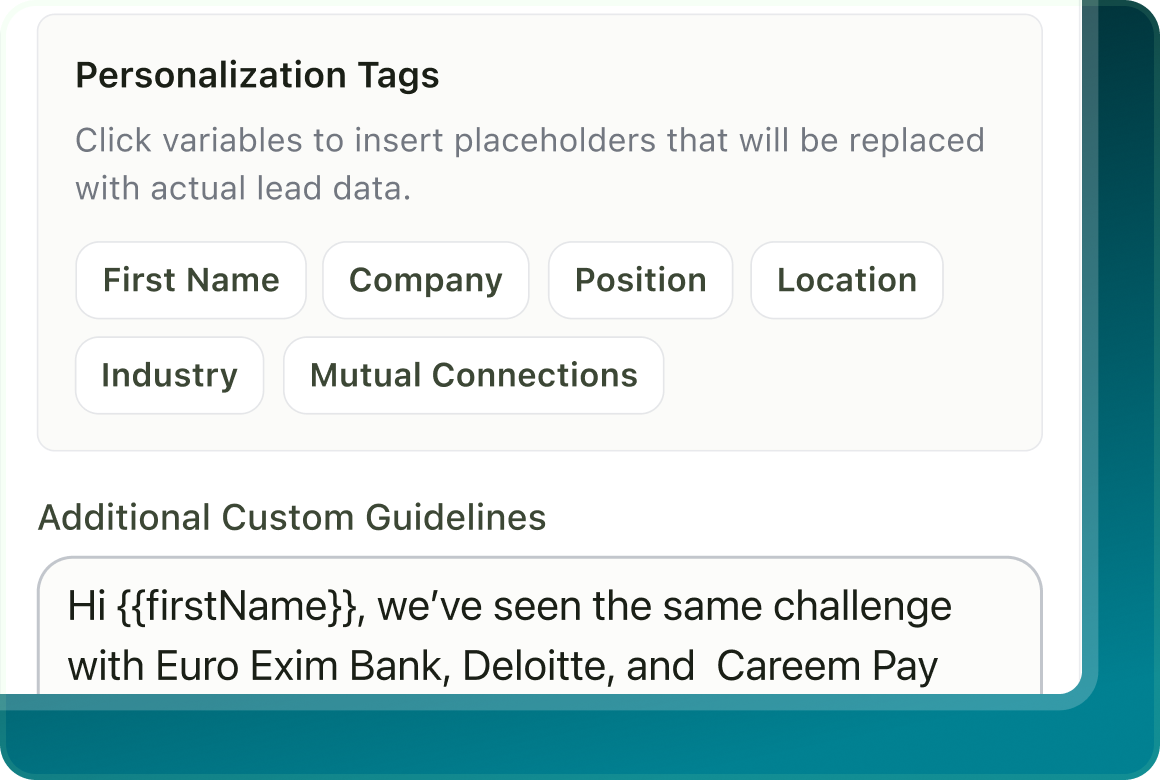
The writer can use the prospect data available to the step, recent LinkedIn activity where supported, and the context you have given the campaign.
What you control
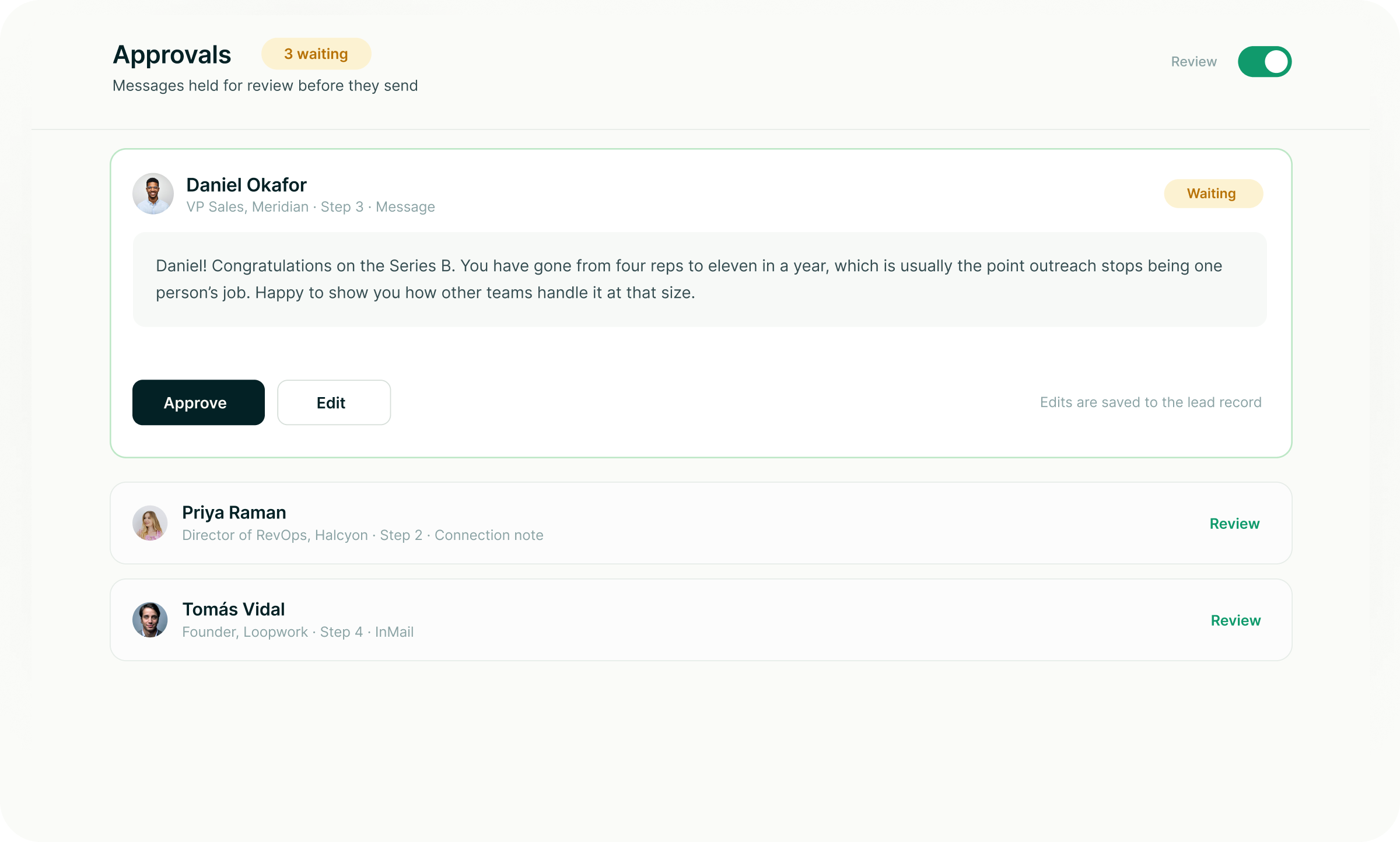
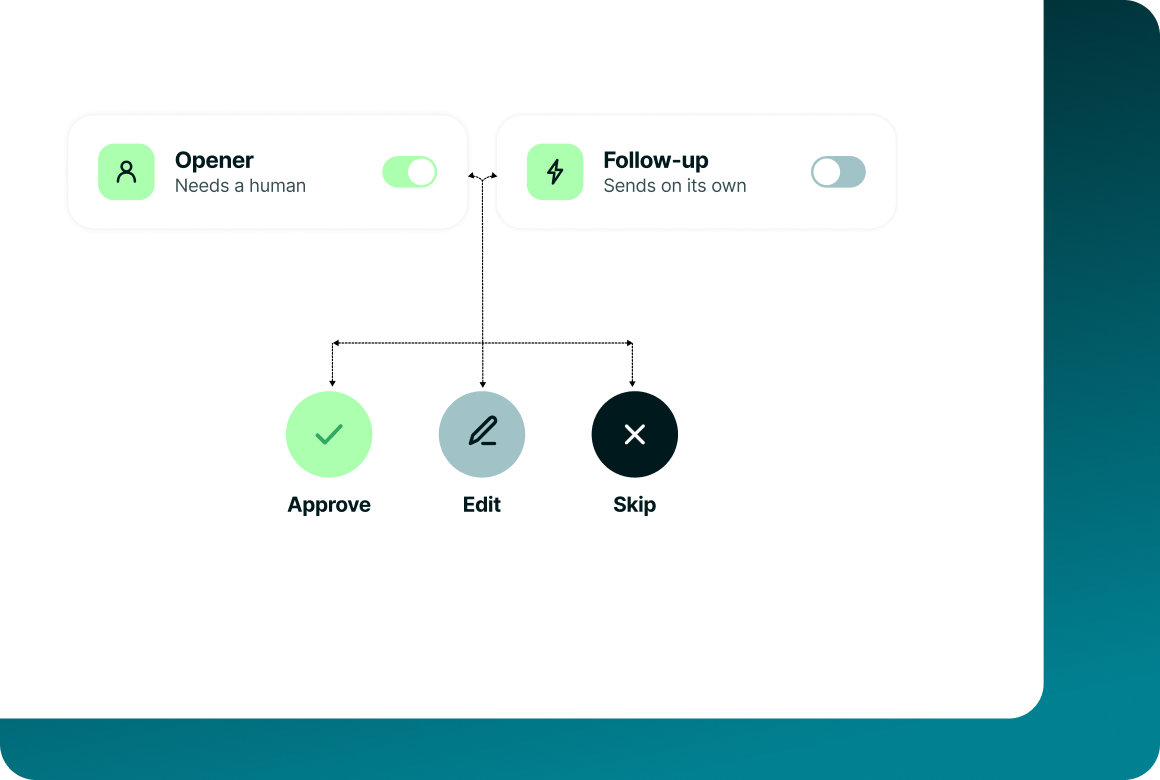
Generated messages wait for review. The campaign creator can approve, edit or reject each one before anything sends.
What it writes
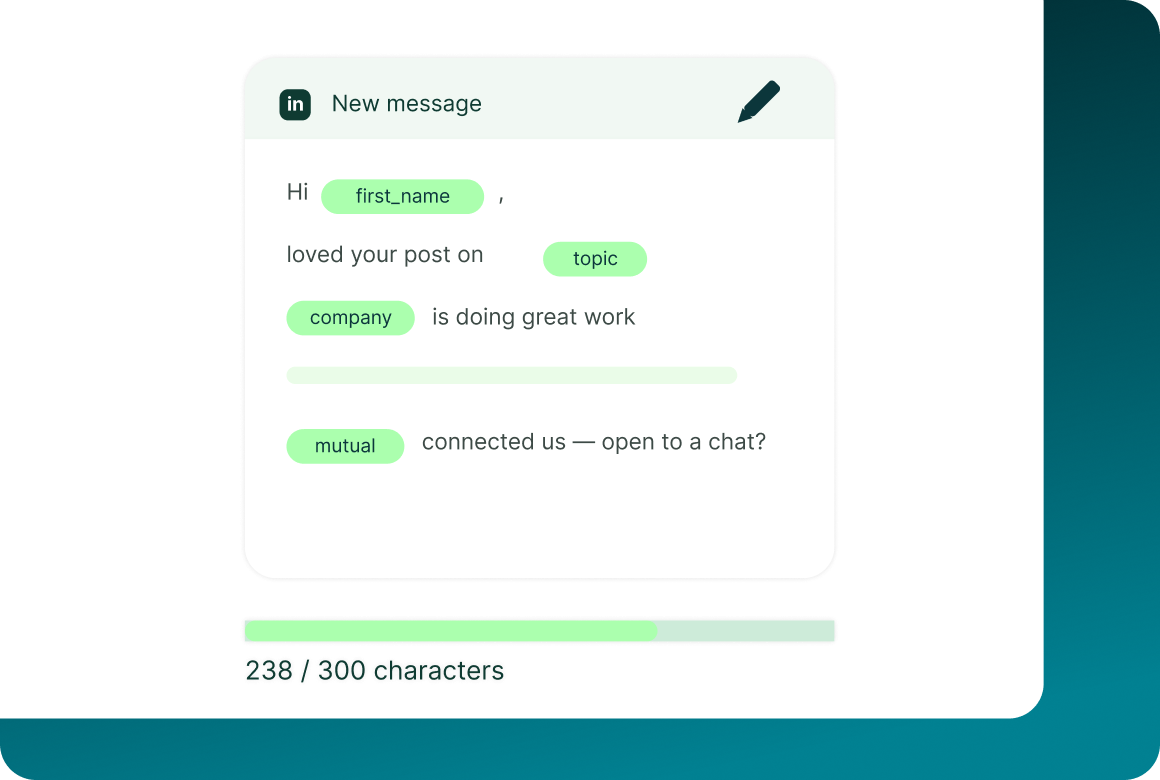
Set tone, length and language for the step, then personalise from the fields available to that channel.
Message anatomy
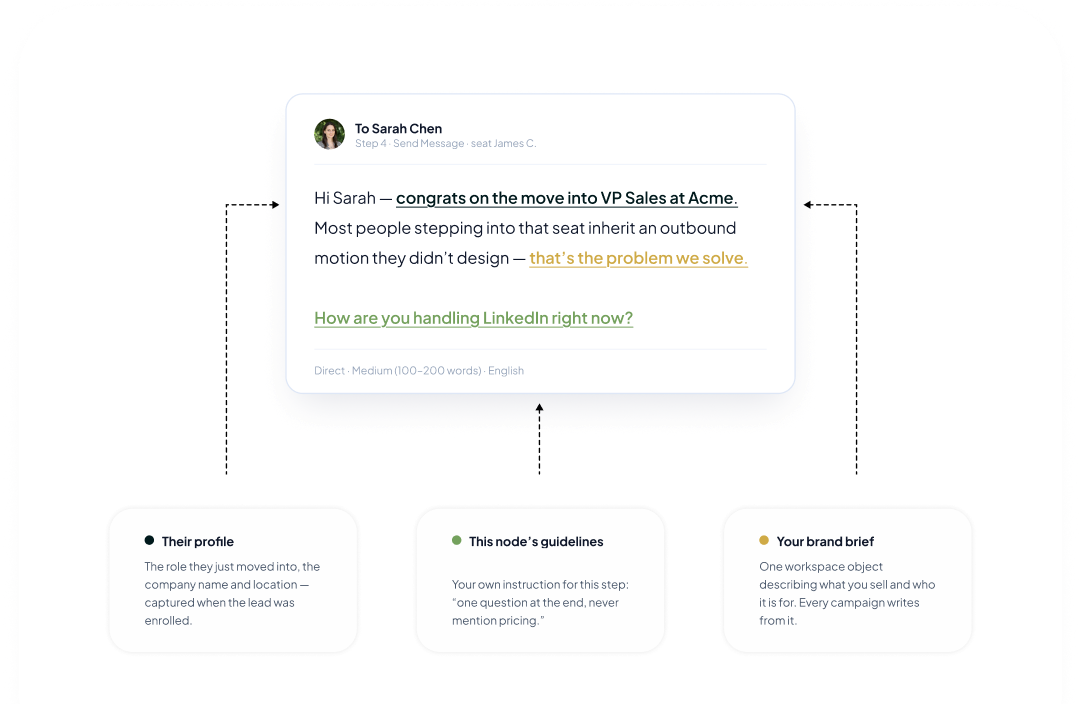
Every draft has context behind it
The message does not have to start from a blank prompt. Combine what GML knows about the lead with the instructions for this step and the private knowledge in your workspace.
Editing
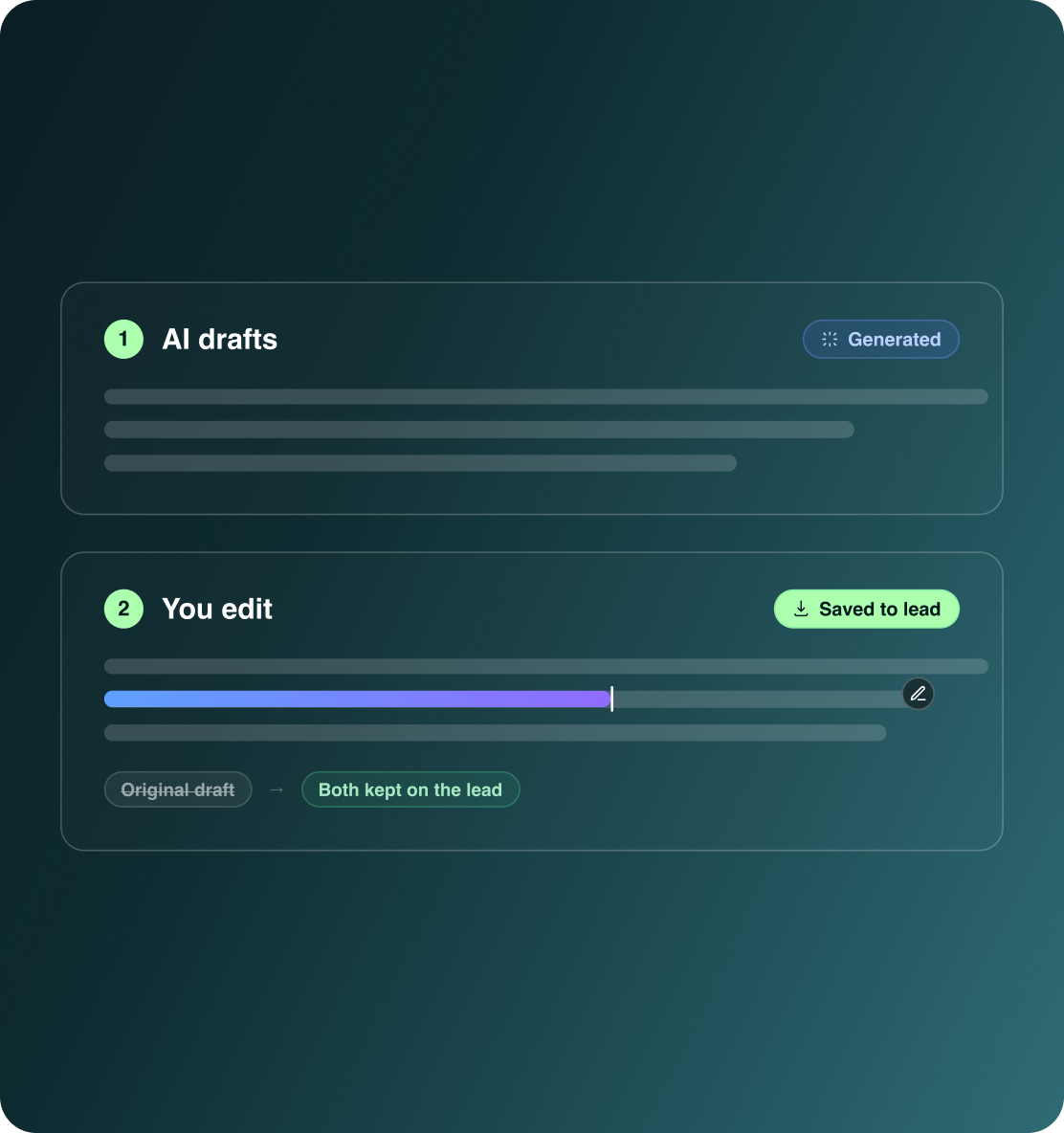
Change the draft before you approve it
Approval is not your only option. Review the generated message, edit what you want, or reject it before anything is allowed to send.
- Change the generated copy before it goes out.
- The campaign creator decides whether each generated message is ready to send.
- Once a message is sent, the exact message appears in that lead’s campaign activity record.
Per-step review
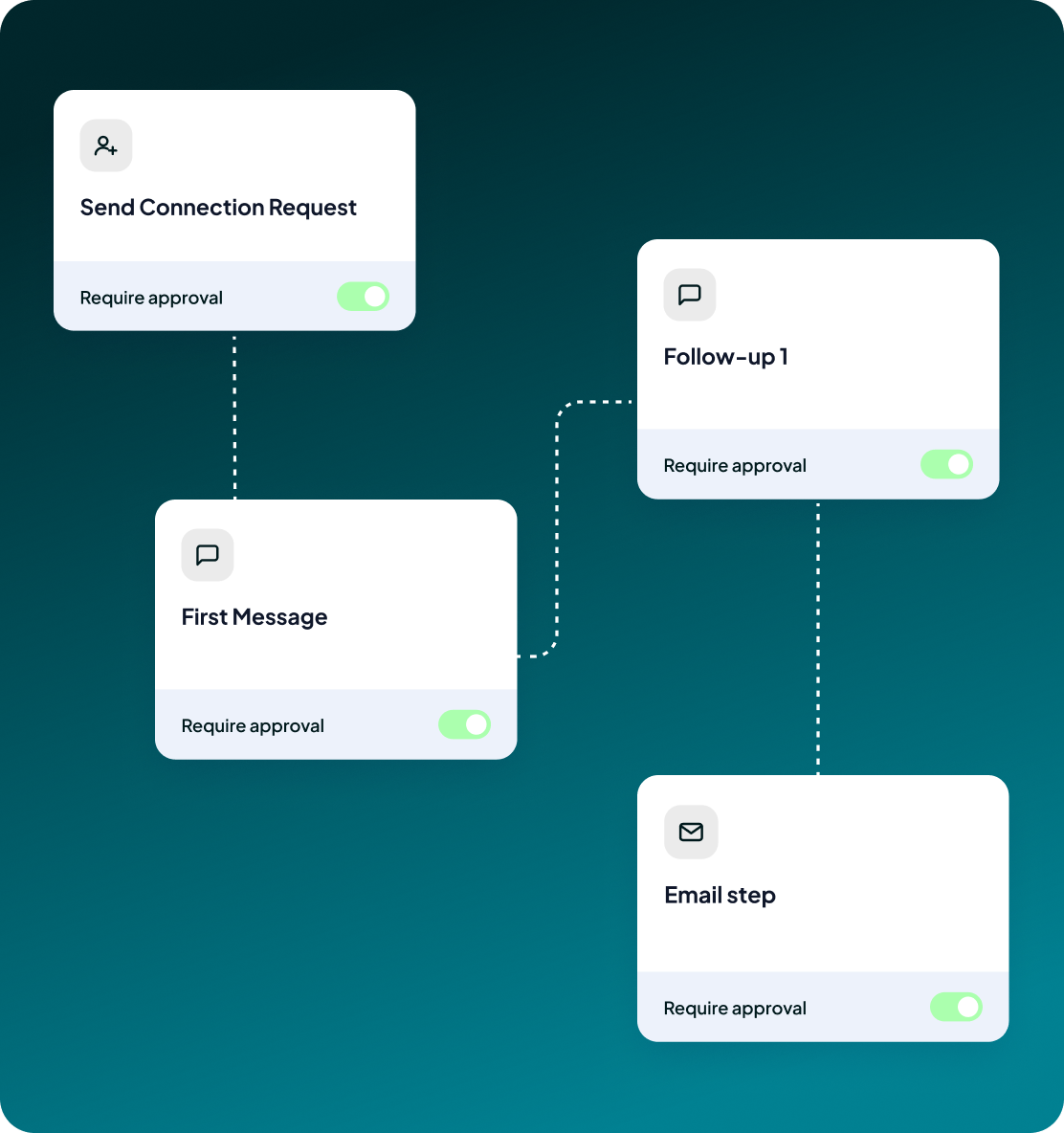
Every generated message waits for a person
AI-generated messages are held for review. The campaign creator approves, edits or rejects them, and nothing sends until the user has reviewed and approved it.
- Generated copy is held before sending
- The campaign creator reviews it
- Nothing sends until it is approved
Case studies
Teams who can show their work
“Using Get Me Leads has been one of our smartest investments. Our team actively engages with the platform, and we’ve seen a notable boost in our sales.”




“We’ve fully transitioned our operations to Get Me Leads. The product is user-friendly and adaptable, greatly helping us increase our lead generation.”


Build the list. Check who is in it. Then launch.
Questions
What people ask about the AI
No. Generated messages are held for review. The campaign creator approves, edits or rejects them, and nothing sends until the user reviews and approves it.
It can use the workspace Brain, the lead data available to the step, Custom Guidelines and recent LinkedIn activity on supported steps.
Yes. Tone, length and language are available on every sending step. Connection requests also have additional controls including formality, approach, focus, intention, call to action and personalisation depth.
LinkedIn steps support first name, full name, company and job title. Send Message also supports position, location, industry and mutual connections. Email can use any mapped or custom field.
Yes. The campaign creator can approve, edit or reject a generated message. A generated message does not send until it has been approved.
The campaign creator reviews generated messages before they send.