


 For in-house B2B sales teams
Give every rep a system.
Give the manager the full record.
Run outreach from your team's own profiles and mailboxes, assign campaigns to the right reps and move from the workspace numbers to the exact message behind each result.
The sales team case
Three things the manager
should not have to reconstruct
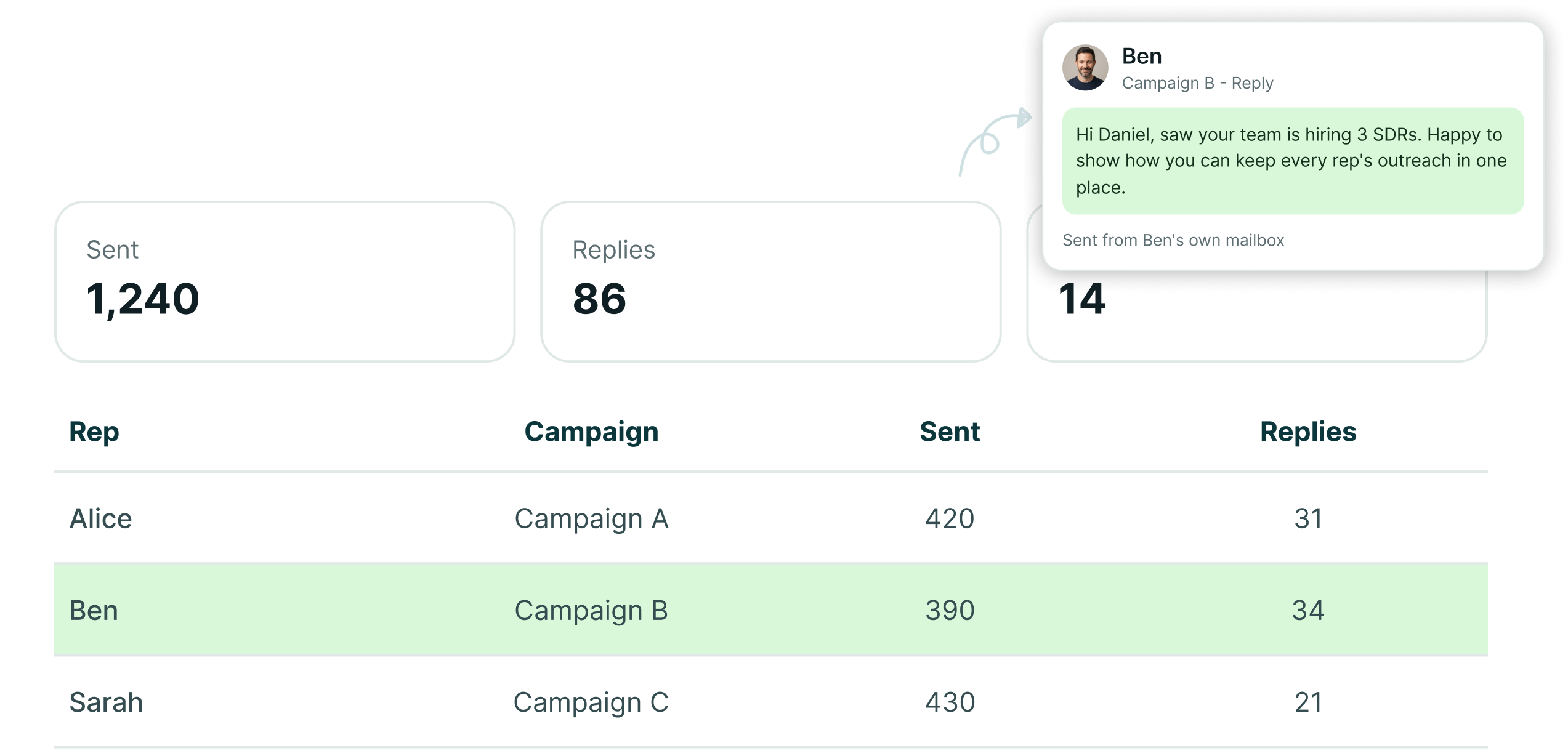
Who is sending, what each rep is working and what the outreach actually produced should already be inside the system.
Reps work assigned campaigns
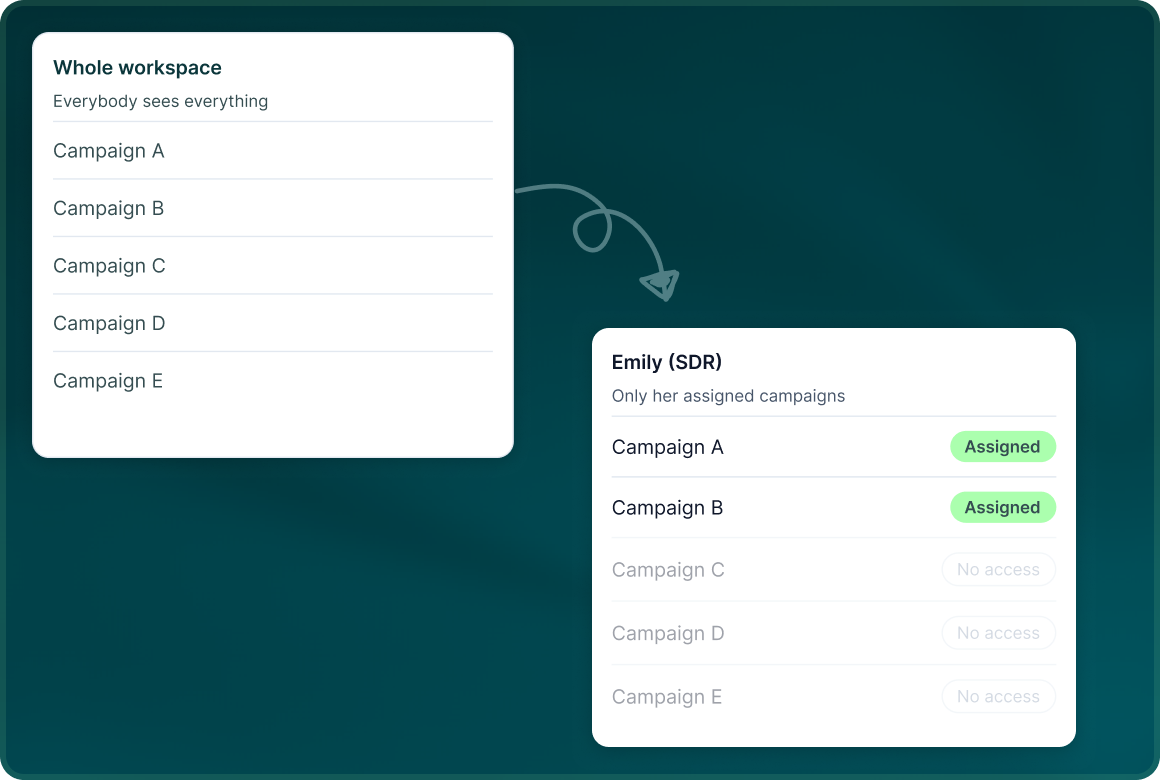
Give SDRs access to the campaigns they are responsible for rather than handing everybody the whole workspace.
One inbox for the team
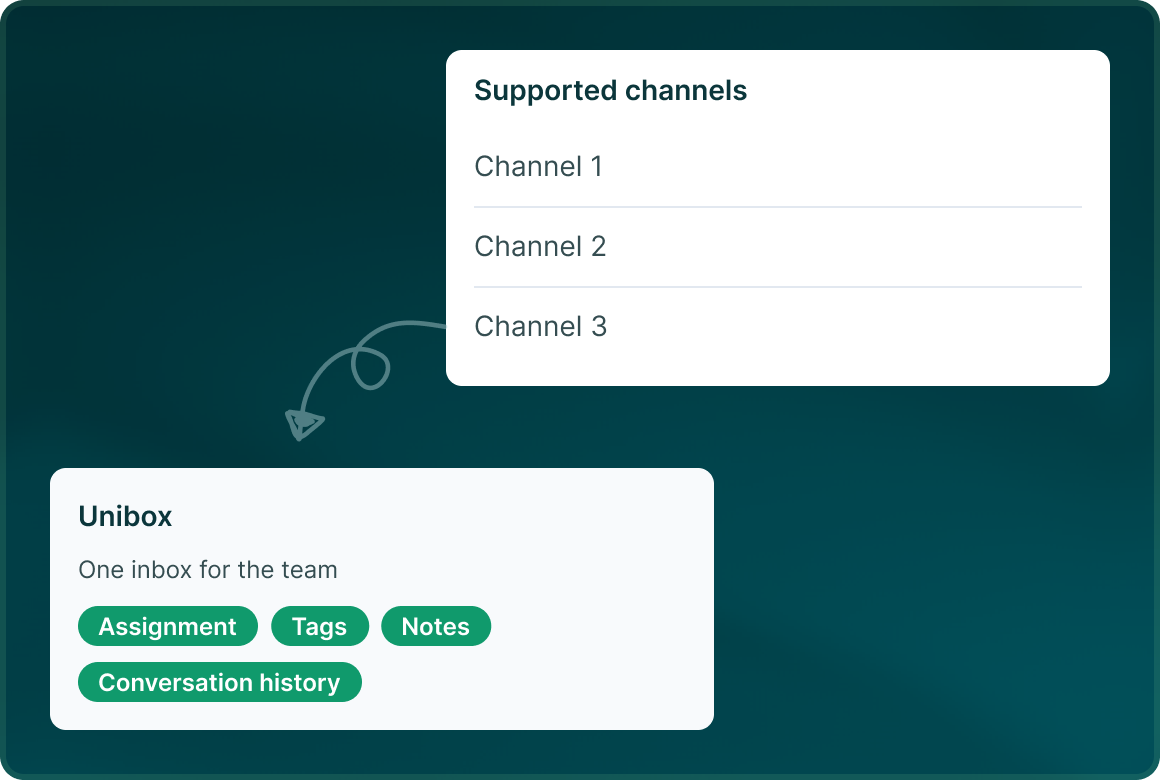
Replies from supported channels come into Unibox with assignment, tags, notes and conversation history.
Managers see what was actually written
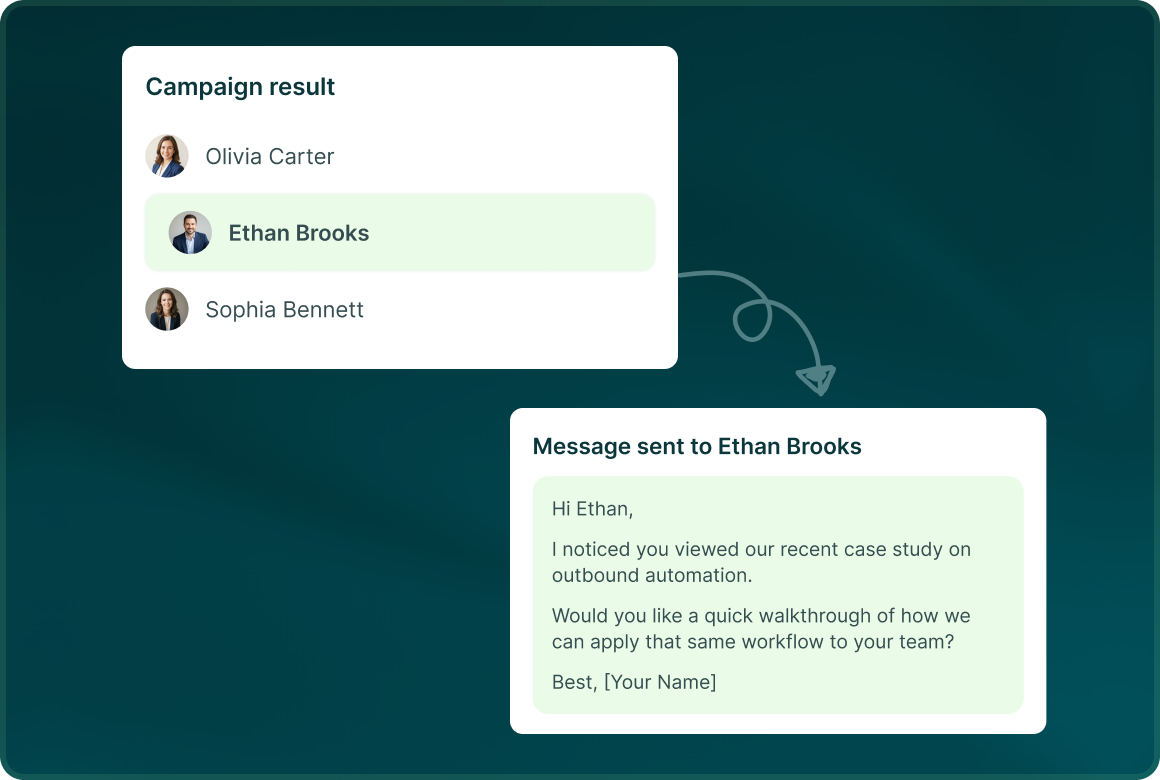
Move from a campaign result to the lead and read the exact message that was sent.
Management
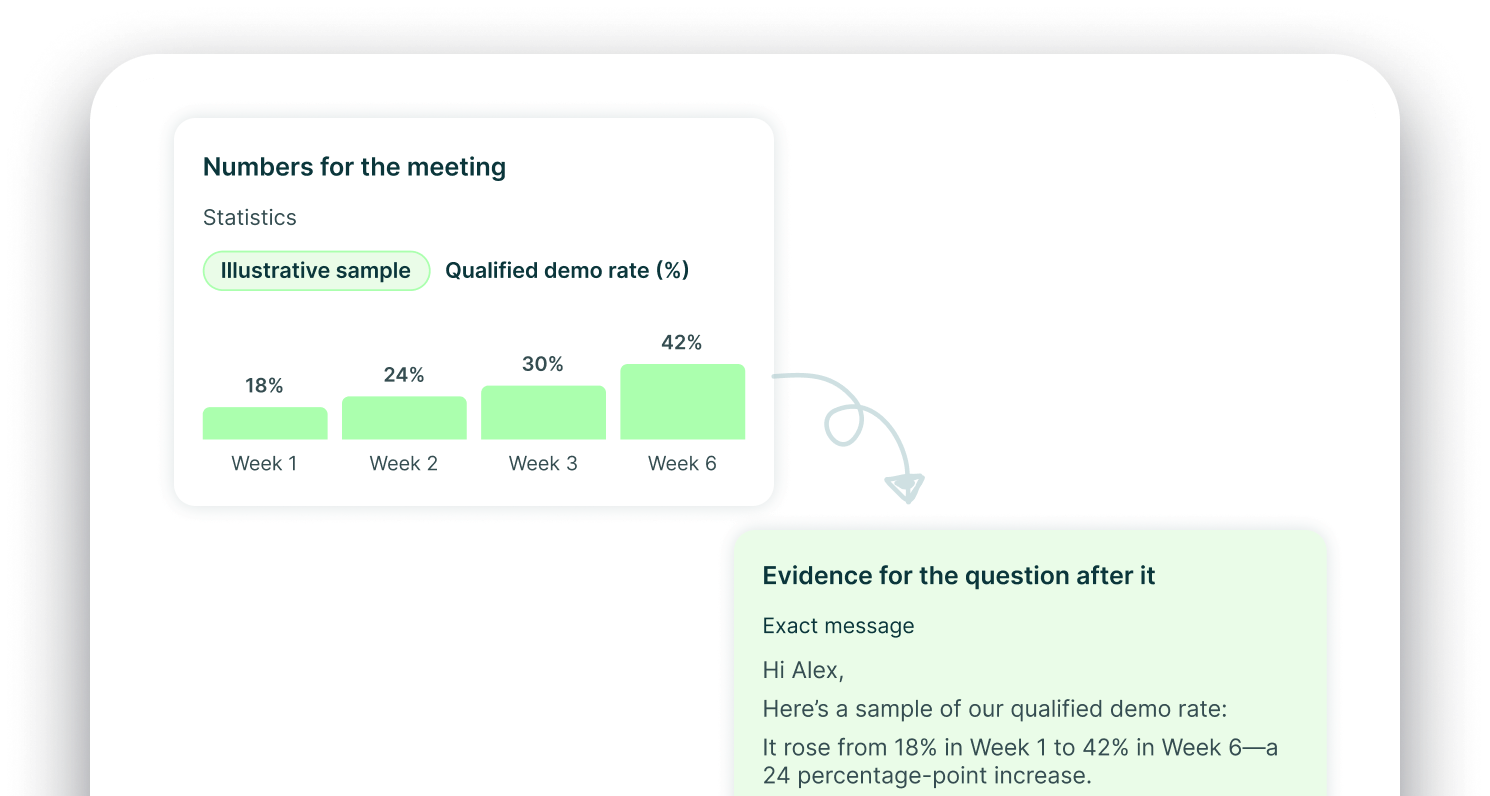
Numbers for the meeting.
Evidence for the question after it.
Each user can see statistics for their assigned campaigns, while Owners and Admins keep the workspace view.
The operating model
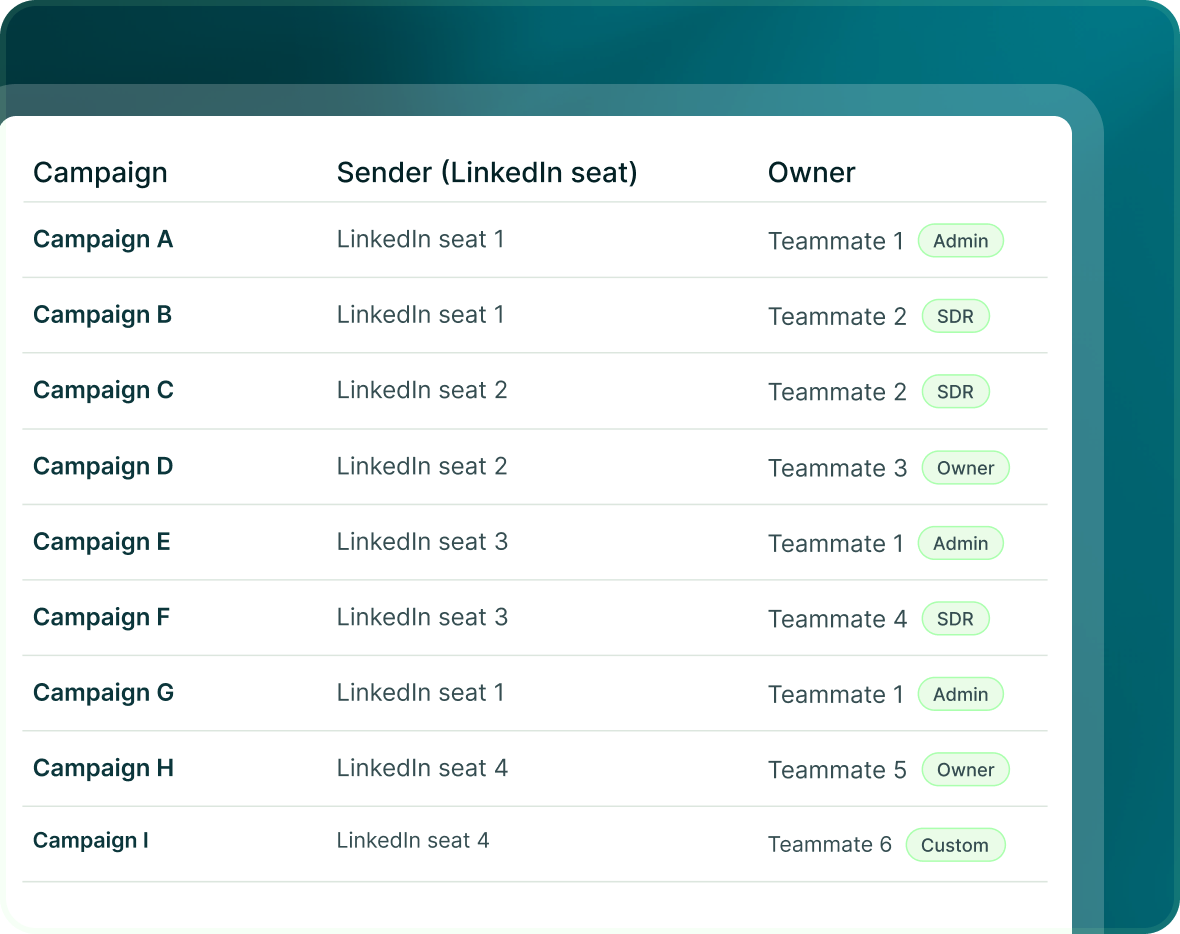
Sender, campaign and owner
do not have to be the same thing
GML separates the sender account from the teammate working the campaign, giving managers more control over how the team is structured.
- A LinkedIn seat is the account the outreach sends from.
- A campaign can be assigned to the person responsible for working it.
- Use Owner, Admin, SDR or custom roles built from 25 permissions.
Reporting
Do not stop measuring
at the reply
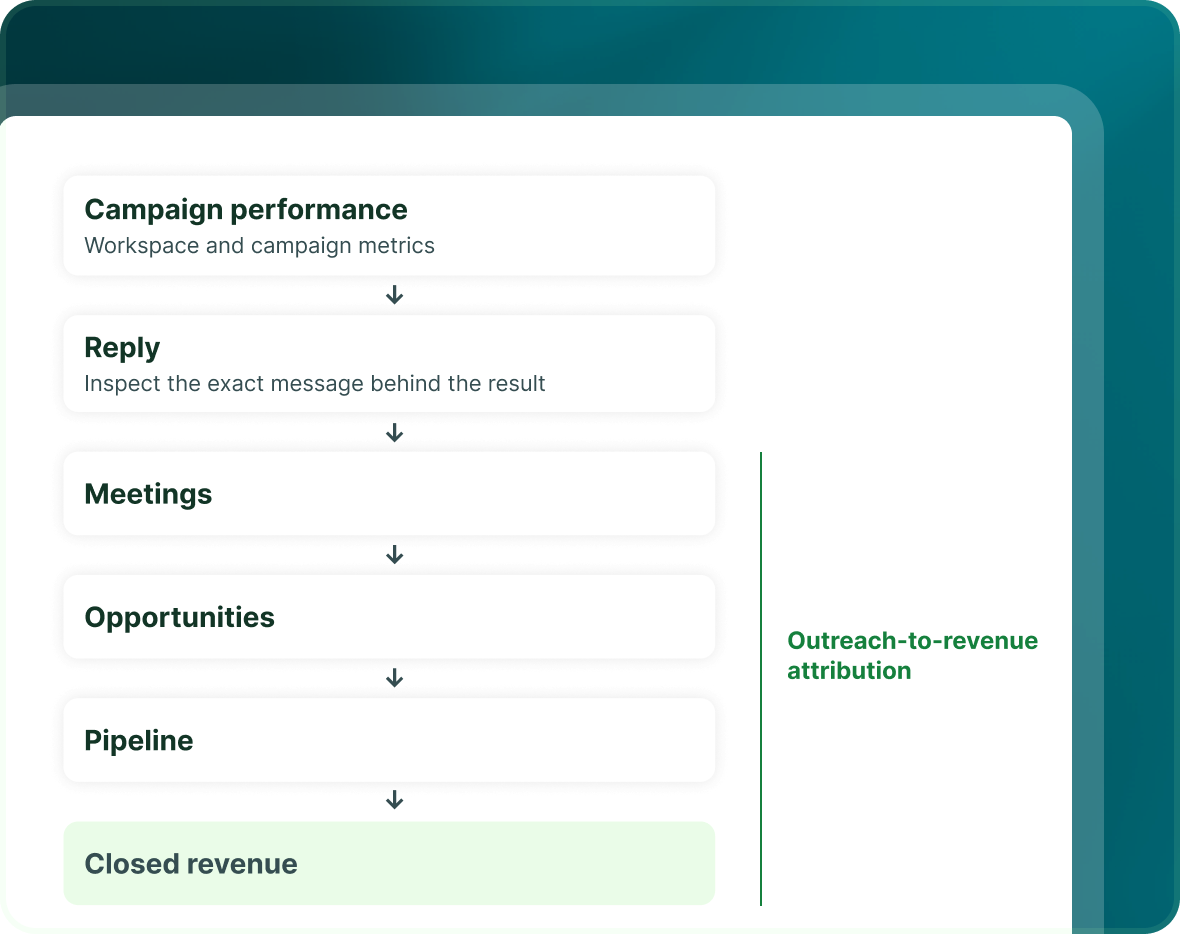
GML follows outreach from campaign performance through meetings, opportunities, pipeline and closed revenue.
- Start with the workspace and campaign metrics.
- Inspect the exact message behind the result.
- Outreach-to-revenue attribution links activity to meetings, opportunities, pipeline and closed revenue.

Build the list.
Check who is in it. Then launch.
Questions
Running GML in-house
Yes. A LinkedIn seat is a connected LinkedIn account used as a campaign sender.
Yes. Campaign assignment can limit an SDR to assigned campaigns, and custom roles can be built from 25 permissions.
Yes. GML has per-user dashboards for assigned campaigns, while Owners and Admins retain the workspace view.
Yes. The per-lead record keeps the exact messages that were sent.
A reply on any channel pauses outreach to that prospect everywhere.
Yes. Revenue attribution connects outreach to meetings, opportunities, pipeline and closed revenue.