


 For regulated B2B sales teams
Run outbound with controls
your team can actually inspect
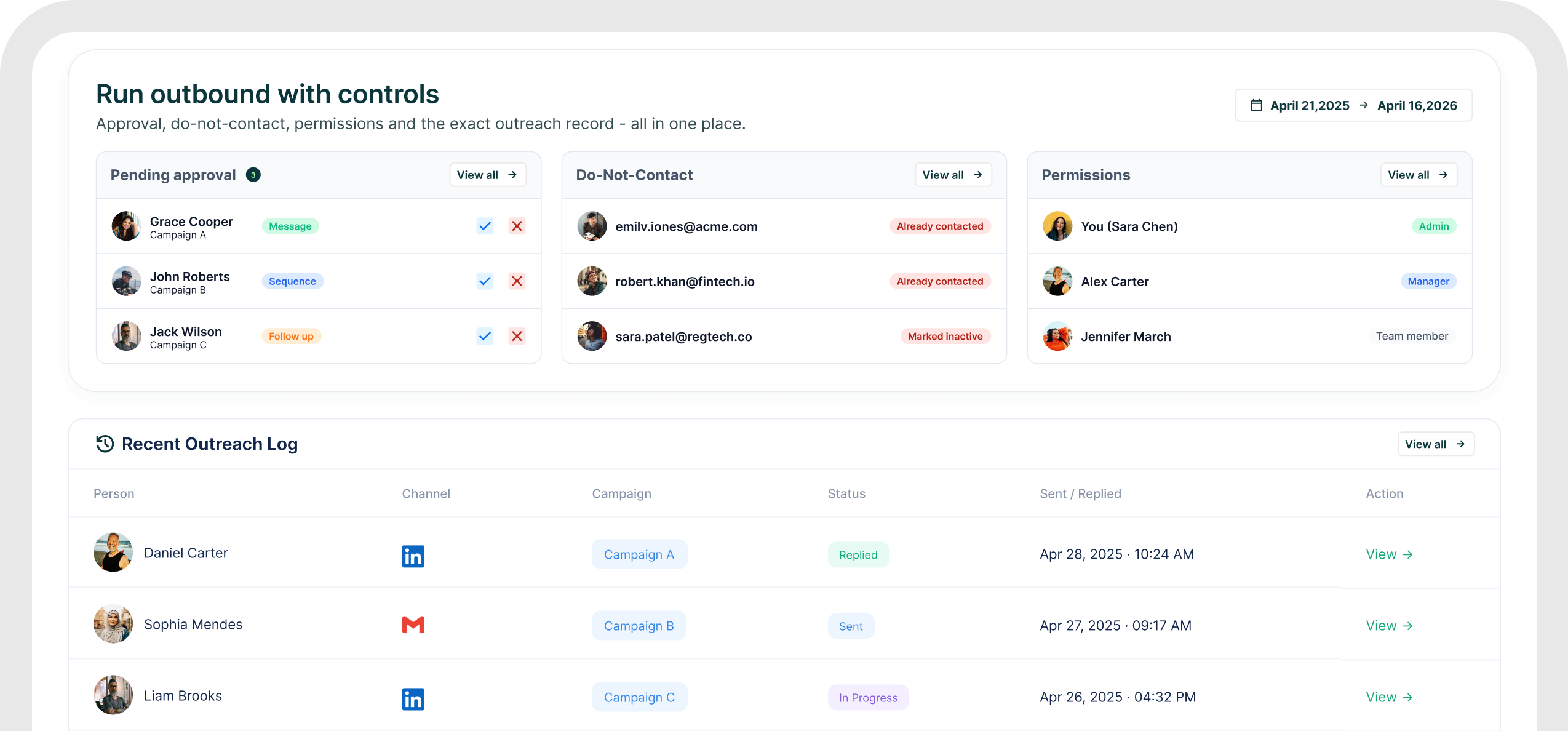
For FinTech, RegTech, compliance and other considered-purchase B2B teams, GML keeps approval, do-not-contact controls, permissions, audit history and the exact outreach record inside the same
The control case
Three controls that should
not live in somebody's memory
GML's documented regulated-B2B use case centers on approval before sending, do-not-contact rules and a full record of every touch
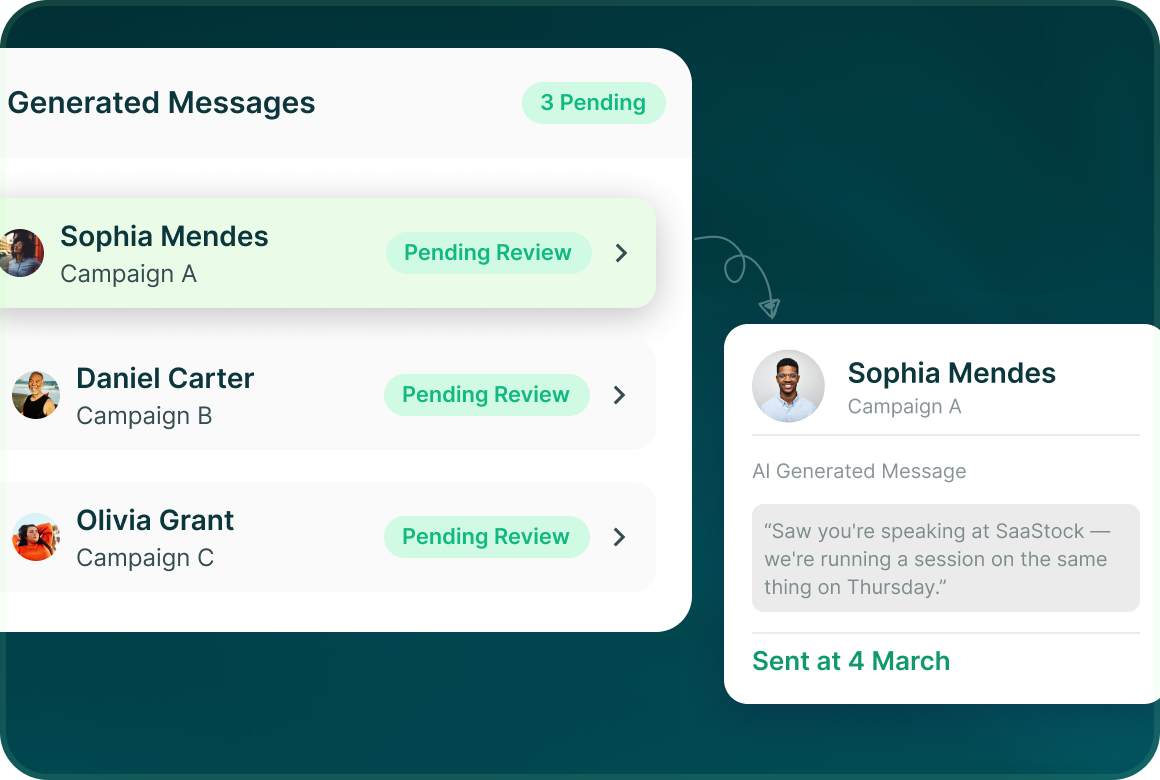
Approval before sending
AI-generated messages are held for review. The campaign creator approves, edits or rejects them before anything sends.
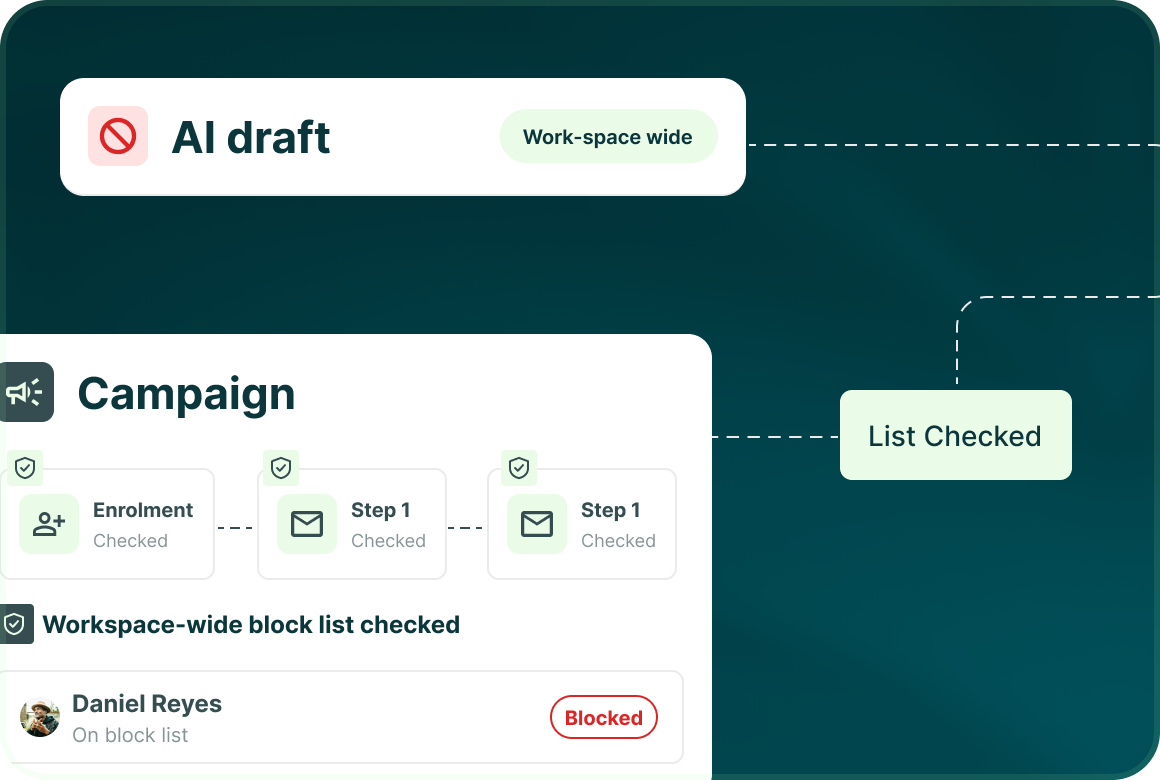
Do-not-contact across channels
The workspace-wide block list is checked before enrolment and before every campaign step.
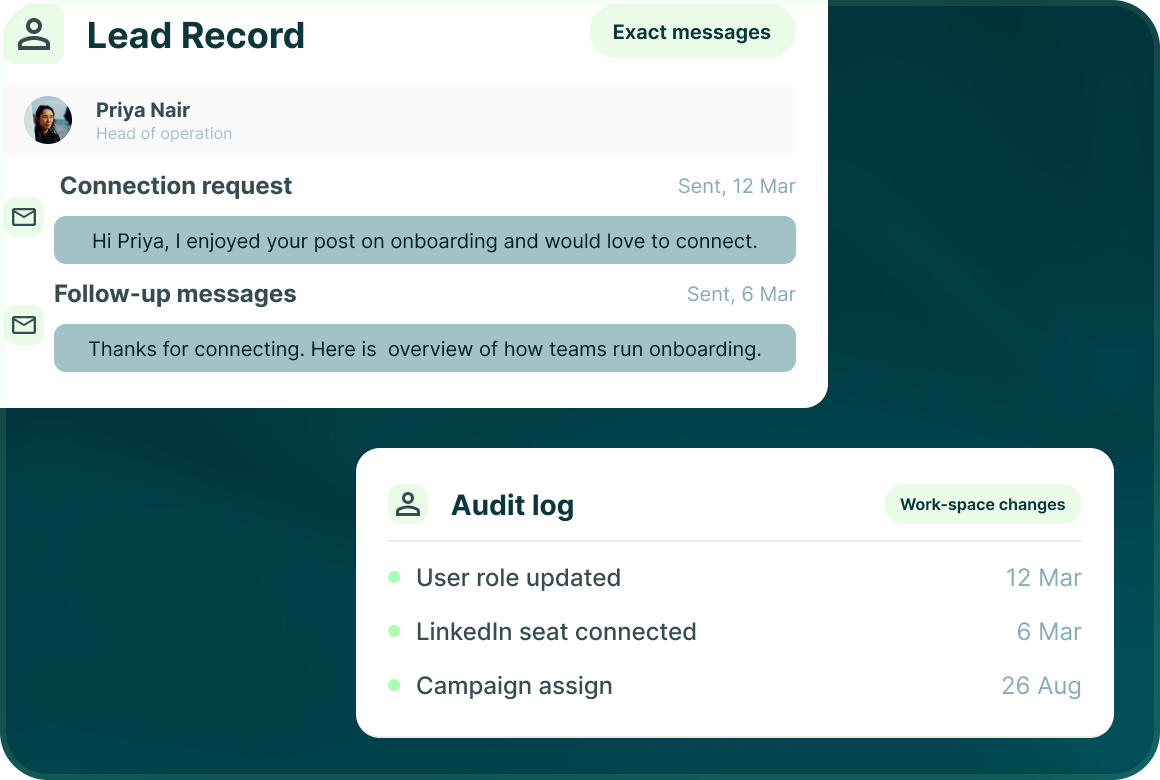
A record of every touch
The lead record keeps campaign steps and exact messages, while the audit log records important workspace changes.
Permissions
Access should match
the job somebody is doing
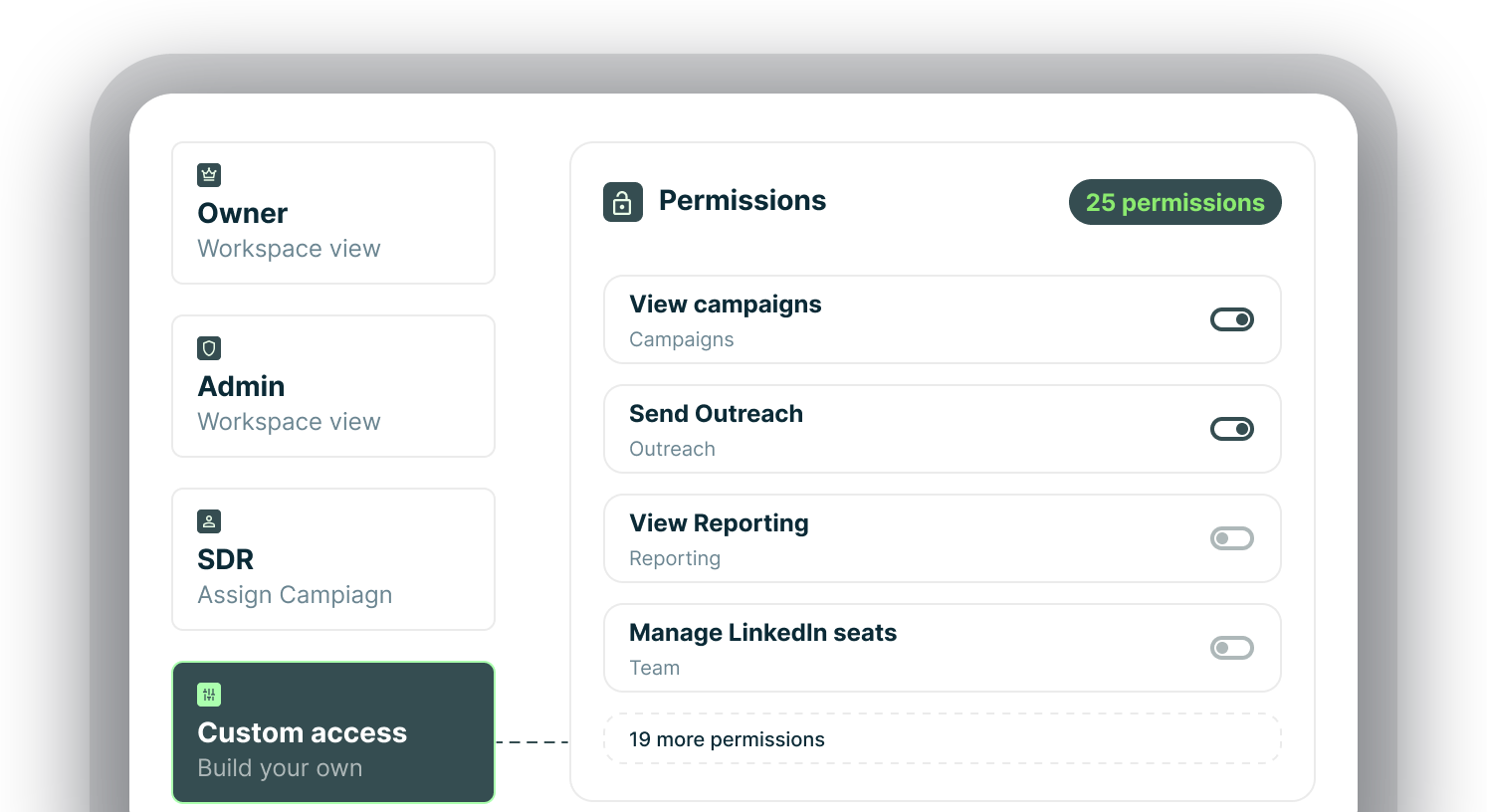
Use Owner, Admin and SDR roles or build custom access from 25 permissions across the product.
Safety
See the limits.
See when the system holds something back.
Account controls stay visible rather than being hidden behind a generic safety claim.
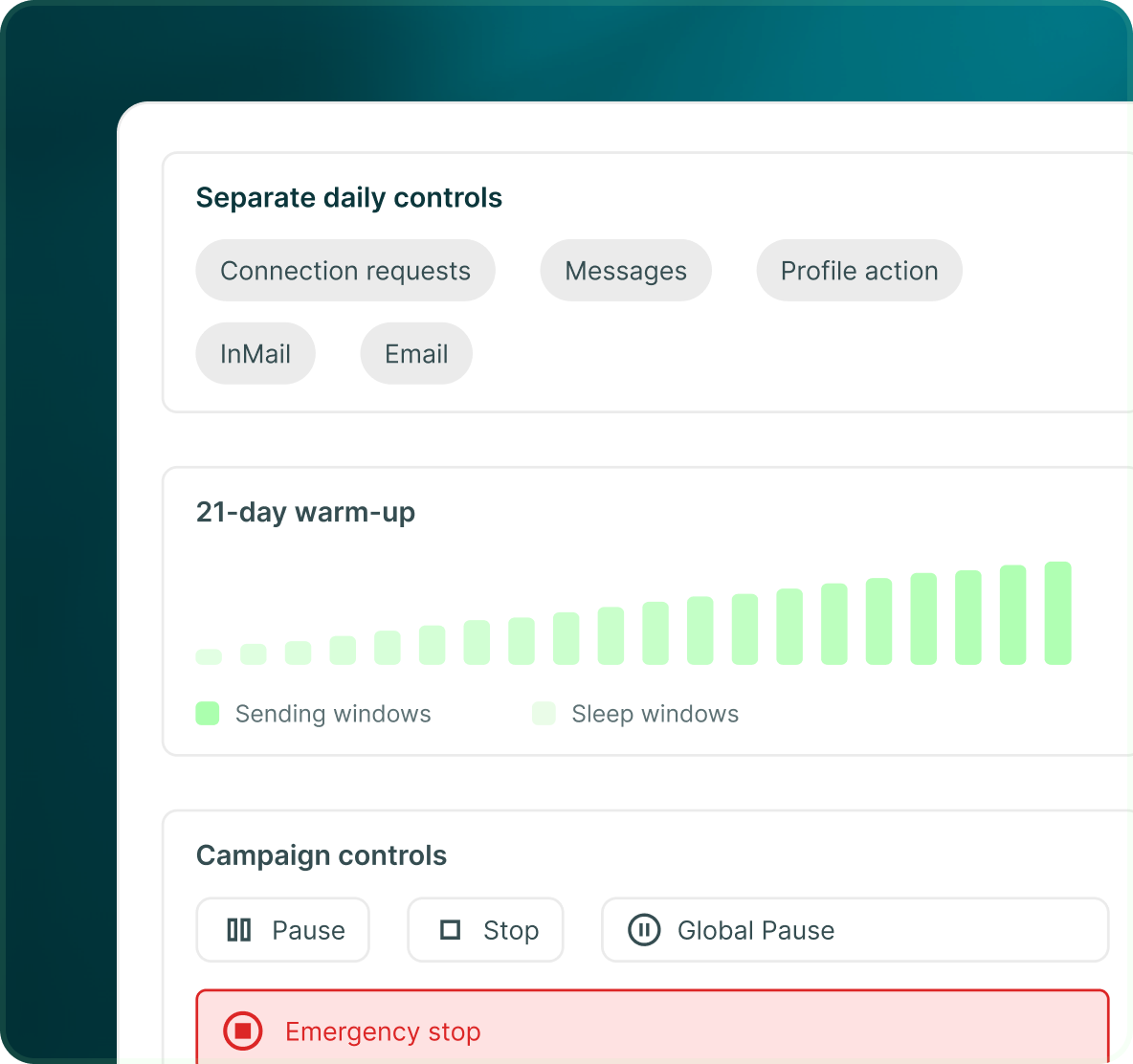
- LinkedIn uses separate daily controls for connection requests, messages, profile actions, InMail and email.
- LinkedIn seats support a 21-day warm-up plus sending and sleep windows.
- Campaigns can be paused or stopped, with broader global pause and emergency-stop controls available.
Auditability
Start with the metric.
Keep the evidence underneath it.
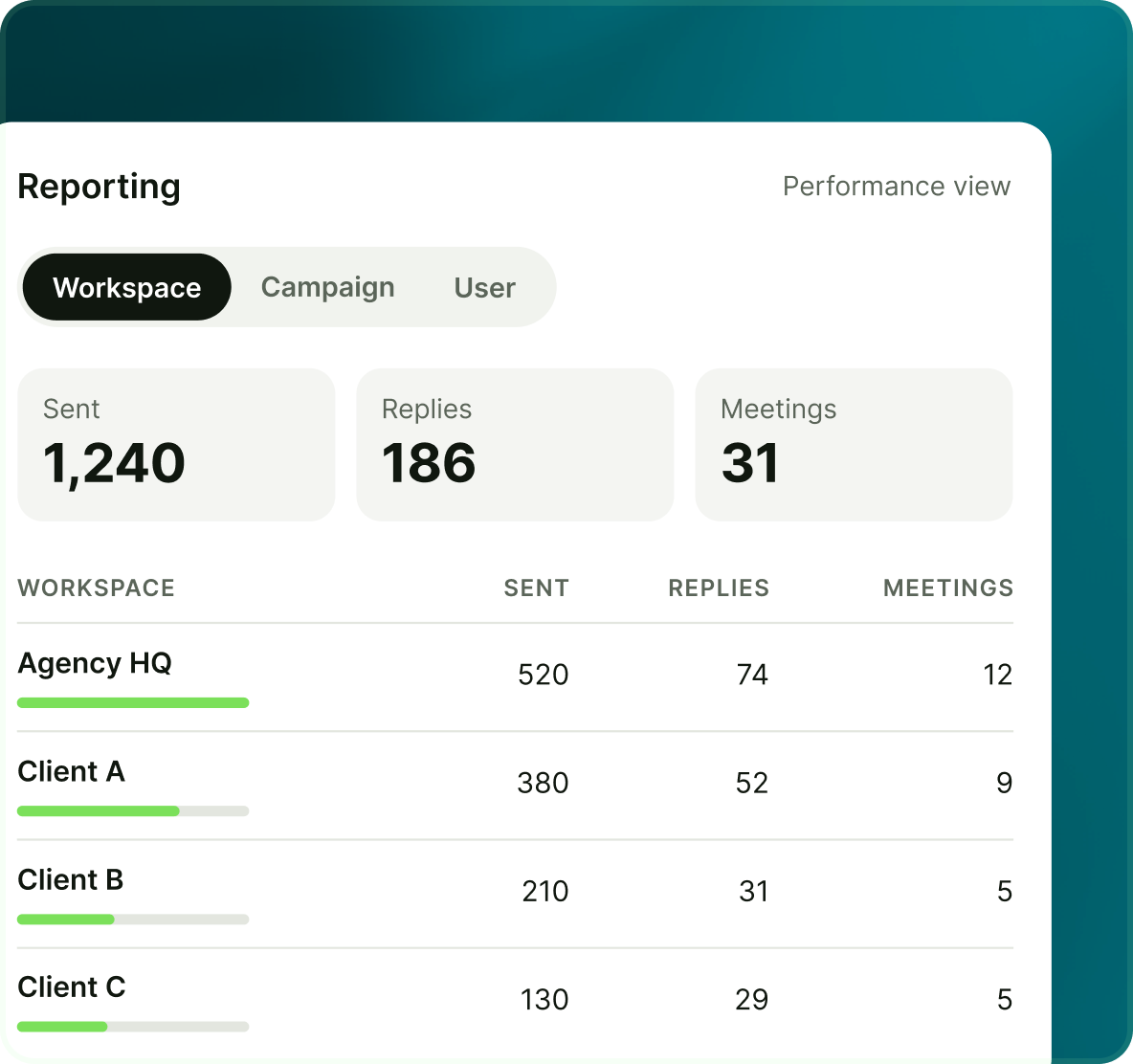
Reporting gives the performance view. The lead record and audit history give the underlying record when somebody needs to understand what happened.
- See performance at workspace, campaign and user level.
- Open the prospect and see the campaign activity and exact sent messages.
- The audit log records important changes such as approvals and campaign or member changes.

Build the list.
Check who is in it. Then launch.
Questions
Governed outbound with GML
Yes. Generated messages are held for review and must be approved before sending.
Yes. The block list works across channels and can cover a prospect, email, LinkedIn URL, company, domain or CRM record.
Yes. GML has Owner, Admin and SDR roles plus unlimited custom roles built from 25 permissions.
Yes. The per-lead record retains the exact campaign messages.
Yes. GML includes an audit log for important workspace activity.
No such regulatory certification claim is made in the GML Knowledge Base. GML provides documented approval, access, do-not-contact, safety and record-keeping controls; your organisation remains responsible for applying its own regulatory requirements.